


The days are growing shorter and the dark days of winter are swiftly approaching. Fortunately, we have Lansweeper Connect – Fall 2026: Out of the Shadows to shine a light on the latest and greatest developments in Lansweeper.
As AI is becoming a part of everyday work, it’s getting harder to see. An AI assistant in a browser, a model running on a developer’s laptop, an agent connecting to company systems… Everyone knows AI is everywhere, but nobody knows exactly what you have and where. That’s what this Lansweeper Connect is all about: bringing AI out of the shadows and into one trusted record across your environment.
Let’s recap what we learned.
Organizations want to move faster, automate more, and introduce more AI into their way of working, all while keeping operations reliable and secure. Those ambitions depend on an increasingly complex environment. New infrastructure sits right beside older systems, applications become more connected, and changes in one place can have unexpected consequences elsewhere.
IT and Security teams need to keep pace, which means automating more of their own work in turn. That automation is only possible with an accurate understanding of the environment behind every decision and action. What’s running? Is it properly managed and protected? How could changes affect critical processes? And where should teams focus first?
Those questions now need to extend to AI, including what it can access and do.
AI arrives through many doors. “Out of the Shadows” is not about blaming employees for adopting useful tools. It’s about giving the people who manage and secure the environment a clear picture of AI use and reach so they can make informed decisions on how to govern it.
AI adoption is quickly outpacing visibility, as the numbers show. Verizon’s 2026 Data Breach Investigations Report found that regular AI use on corporate devices tripled in a year, from 15% to 45%. Cisco found that 83% of organizations planned to deploy agentic AI. Meanwhile, IBM found that shadow AI was involved in 43% of the security incidents it studied, up from 20% last year. 49% of those incidents resulted in data loss or compromise.
We’ve seen this pattern before. Before, it was cloud services that let people sign up and start working in minutes, and IT only heard about it when something went wrong. AI is now following a similar path, only faster. First came standalone AI tools, then AI assistants embedded in the tools you already use. Now agents and connectors reach into other systems.
Knowing which tools are in use is no longer enough. Teams also need to know:
The real test comes when your board or an auditor asks what AI you’re running. If IT and Security each hold a different list, you spend days reconciling before you can answer the question.
If you want to accurately assess risk, decide what matters, or determine what action to take with confidence, you need to know what’s there first. IT and Security need a shared picture of what’s being used, where it’s running, who owns it, and what it can reach.

AI doesn’t fit neatly within the boundaries of a single inventory. Device discovery, software records, and network activity each reveal part of the picture. Bringing them together helps IT and Security see the bigger picture of what’s running, where it’s running, and what it can reach.
AI Asset Management makes AI part of the asset record you already use. It discovers AI applications, browser extensions, assistants in developer tools, locally running models, and the credentials they leave behind.
Each detection is added to your inventory and connected to the device where it was found and its user. Overview charts show which tools are approved, unapproved, or awaiting review, alongside risk levels and detection methods.
AI Asset Management open Beta is closing soon. A closed Beta with additional capabilities is coming next. Join the interest list for Beta access here.

The traffic sensor finds devices that you, your active scans, and your agents have missed. It listens to network communications, so a contractor’s laptop or an unannounced lab are picked up as soon as they connect. You get a fuller picture of your network without installing software on each device or arranging extra scans. The sensor reads metadata only so you can see which devices are communicating without compromising the information they exchange.
The sensor then matches detections against more than 20 years of Lansweeper discovery data to help identify devices with confidence, supply context, and connect them to the wider inventory.
Traffic Sensor reveals connections that your scan won’t see. Your agents will never run on a contractor’s laptop, but traffic sensor will see when it connects to a public AI service. While it won’t reveal what information was sent, we know there was activity. It gives IT and Security somewhere to begin investigating.
Traffic sensor is now generally available.

Asset Connections shows who your assets talk to and who talks to them, including external AI and SaaS applications. Filtering external connections by the “AI” category reveals which devices are communicating with services such as ChatGPT and Microsoft AI. Teams can explore the vendor, category, protocol, port, first and last observed activity, and bytes sent and received.
That connection data helps teams understand where AI-related activity is happening and which devices need a closer look. It also provides context for assessing whether those connections align with company policy.
Asset Connections is in open Beta.

Application Dependency Mapping further builds on those connections. It will show which applications and infrastructure depend on one another and how. That way you know how a change in one place could affect the business elsewhere.
That is the goal of Application Dependency Mapping. Building on asset and connection data, it will help teams understand the impact of changes before something breaks.
Application Dependency Mapping is in Beta
IT needs to investigate devices and ownership. Security needs to assess exposure and prioritize findings. Leadership needs a clear view of progress. Each team asks different questions, but the answers need to come from the same underlying trusted asset intelligence layer.
Together these form Lansweeper Lens: one engine with three ways in. Ask in Lansweeper with Lens Chat, work across sites in Lens Workbench, or connect from compatible AI tools through Lens MCP.d asset intelligence, helping your investigation move to understanding faster.

Lens Workbench is currently in Beta.
Pre-built and customizable Dashboards give each team their own relevant view of your environment. Click from your dashboard table straight into the asset, software, user, or vulnerability record. The Marketplace offers ready-made dashboards, including one for AI Asset Management, to help to get started.
Add Derived Fields to your views to reflect the insights that matter most to how your organization works. Lansweeper Lens will help you write expression to calculate values, classify assets, and create new specialized fields. As your data changes, your fields update automatically. Derived Fields are available for the asset dataset today, with software, users, and vulnerabilities coming next.
Trusted asset intelligence becomes more useful when it reaches the tools and workflows where people make decisions and get work done. Increasingly, that includes AI assistants and agents.
The AI Library and Lens MCP work together to facilitate the connection between your Asset intelligence and your AI tools. The library provides expertise with ready-made skills and agents built around practical tasks. Lens MCP provides the access, giving compatible AI applications a read-only connection to Lansweeper’s asset intelligence layer.
At Lansweeper Connect we saw an example of how this combination works:
Your team stays in control of every decision.
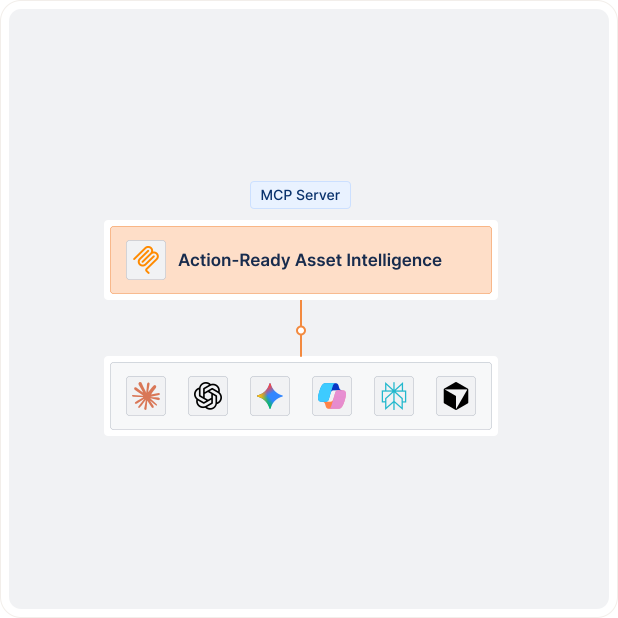
The AI Library and Lens MCP are Generally Available.
Flow Builder and the integration ecosystem carry that context into the workflows your teams already run. Newly released integrations this year, brought the total to 68, including Datadog, Securonix, and Brinqa. Flow Builder’s ready-made templates give you a proven starting point to adapt instead of a blank canvas.
AI governance is just one application of intelligence that supports decisions across the entire technology environment. The same visibility helps teams find unmanaged devices. Connection data helps investigate service issues. Better context helps prioritize vulnerabilities and assess the impact of a change.
AI governance is one application of intelligence that supports decisions across the entire technology environment. The same visibility helps teams find unmanaged devices. Connection data helps investigate service issues. Better context helps prioritize vulnerabilities and assess the impact of a change.
That broader purpose shapes what comes next:
AI has become an essential part of how work gets done. The organizations that succeed won’t be the ones using the most AI. They’ll be the ones that understand the environment AI operates in: the devices, the users, the applications, and connections. SEE what’s there. KNOW what it means. ACT on what you find.
That is the bigger picture that helps teams make informed decisions about AI that support the operational and security work they do every day.
Lansweeper Connect
Our Lansweeper Connect – Fall 2026 event was filled with exciting stuff: Check out all the new capabilities and features.
Explore Lansweeper for free.
No credit card required.


