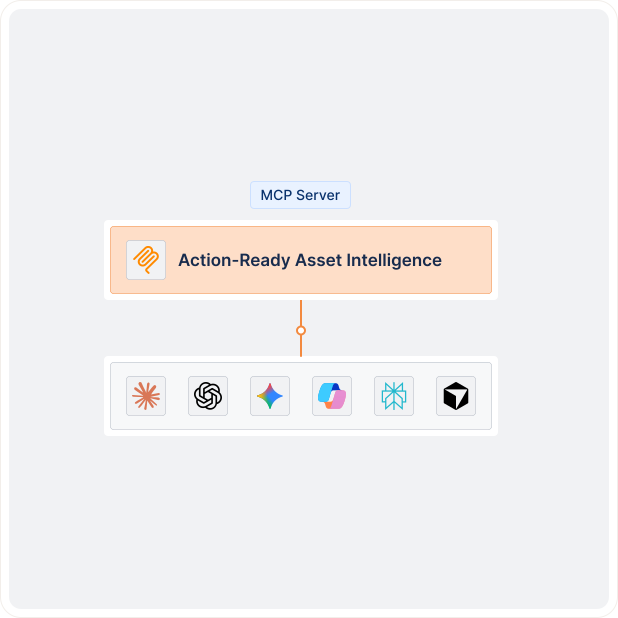
Connect any MCP-compatible AI assistant like Claude, Cursor, and Atlassian Rovo directly to your Lansweeper environment with Lens MCP Server so they can pull answers directly from your asset data, no export needed.



Answers are pulled directly from your Lansweeper environment, across assets, software, vulnerabilities, users, and services in a single response. The possibilities are endless.
Which assets are reaching end of life in the next 90 days?
Surface every asset approaching end of life and map it to its owner and business unit in one query.
Which devices are missing our required security software?
Find every device without a required security tool: CrowdStrike, Defender, your agent of choice.
Which assets are vulnerable to vulnerability CVE-YYYY-NNNN right now?
Ask which assets are exposed to a specific CVE, mapped to severity, exploitability, and patch status.
Show me users who still have access they shouldn’t.
Surface users who still have access they shouldn’t by account status, last login, and site.
What software is running across the environment that isn’t approved?
Identify software running across the environment that isn’t on your approved list by device, site, or department.
Security
The Lens MCP Server is read-only by design. Write operations are not exposed through the MCP interface at all. Access is granted through OAuth 2.0, with the same permissions as your existing Lansweeper account. Your data stays in Lansweeper. The agent reads it, but does not replicate or store it externally.
Lansweeper Cowork Plugin
Want to see what a full agentic workflow looks like? Read how teams are using the Lansweeper Cowork Plugin to chain coverage checks, change impact analysis, and hardware refresh plans in a single conversation.

Lansweeper AI
Lansweeper’s AI capabilities are built on over a decade of AI investment, from patented device fingerprinting to collective intelligence across 175M+ devices. The Lens MCP Server is the latest layer.
Add the Lens MCP Server to your AI client with a one-time setup per device or workspace.
Authorize with your Lansweeper credentials. Your agent gets a scoped token, with the same access rights and permissions as your login.
Your agent queries your Lansweeper environment directly and replies in the conversation.
Explore the full platform, free for 14 days.
No credit card required.
The Lansweeper Lens MCP Server is a secure, read-only integration that connects AI agents like Claude and Cursor directly to your Lansweeper environment via the Model Context Protocol (MCP).
Instead of exporting asset data manually, your AI agent queries your live environment and returns answers grounded in your actual data across assets, software, vulnerabilities, users, and Windows services.
Model Context Protocol (MCP) is an open standard that lets AI agents connect directly to external data sources. For IT and security teams, it eliminates the most common failure point in AI-assisted workflows: stale or incomplete data. When an AI agent can query your live Lansweeper environment directly, every answer reflects your actual asset posture, and not a snapshot from last week’s export.
The Lens MCP Server works with any MCP-compatible AI client. Setup guides are available for Claude Desktop, Cursor, and Atlassian Rovo. Because MCP is an open standard, compatibility extends to any client that supports the protocol, including IDE integrations, automation platforms, and custom-built AI agents.
The Lens MCP Server exposes five core data domains from your Lansweeper environment:
Yes, the Lens MCP Server is read-only by design. It cannot modify assets, trigger scans, change configurations, or perform any write operations against your Lansweeper environment. This is an architectural decision, not just a setting as write operations are not exposed through the MCP interface at all.
Both provide programmatic access to Lansweeper data, but they serve different purposes.
The API requires developers to write queries, handle authentication, and build the integration layer suited for custom applications and data pipelines.
The MCP Server is designed for AI agents: it exposes Lansweeper data in a structured, machine-readable format that AI clients can query using natural language, without any custom development. For teams already using MCP-compatible AI clients, the Lens MCP Server is the faster path to actionable answers.
Yes. The Lens MCP Server supports multi-site queries. Your AI agent can query across all Lansweeper sites where your account has permission, in a single conversation. Site-level access restrictions are enforced so the agent respects the same permission boundaries as your Lansweeper account.
Access is granted through OAuth 2.0 authentication using your existing Lansweeper credentials. On first use, a browser window opens for a one-time authorization. The AI agent receives a scoped token so it can only access the data your Lansweeper account already has permission to see. Site-level permissions and data restrictions are enforced. Your data stays in Lansweeper; the agent reads it, it does not replicate or store it externally.