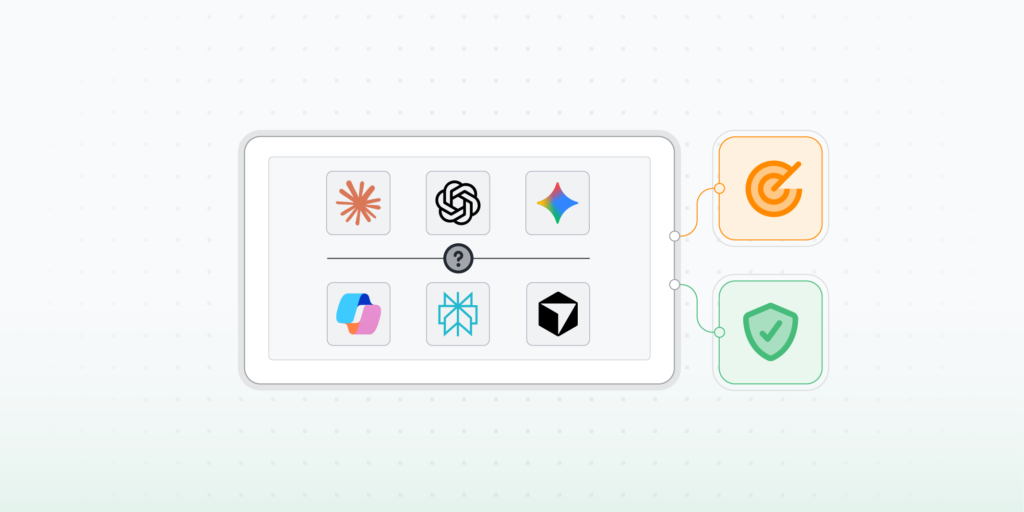
Lansweeper’s AI asset management gives IT and Security teams a single, continuously updated view of every AI tool, service connection, and AI-capable device across their environment. Flagged by risk level, tied to individual assets, and ready to act on.

AI Usage Tracking
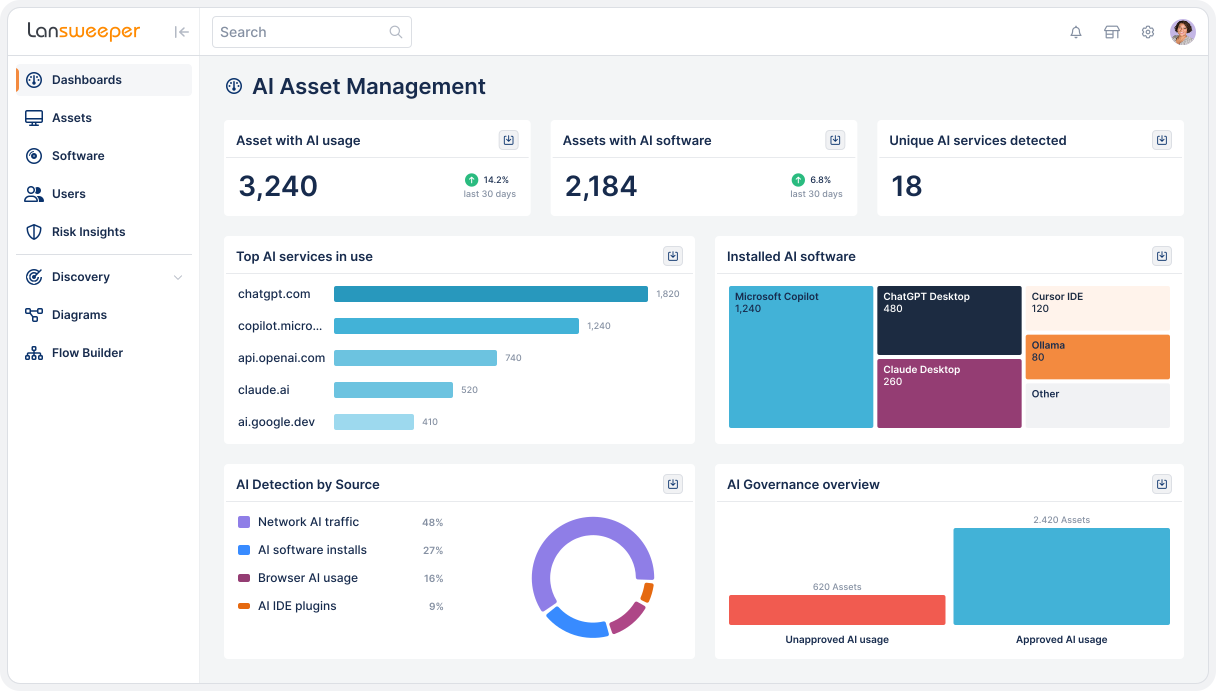
Lansweeper adds AI usage tracking as a new a new data category within Discovery, detecting external AI service connections, locally installed AI apps, AI browser extensions, developer tool integrations, and local model servers across Windows, Linux, and macOS. For every device, you can see which AI services it connects to, how often, and how much data is moving.
Total AI Visibility
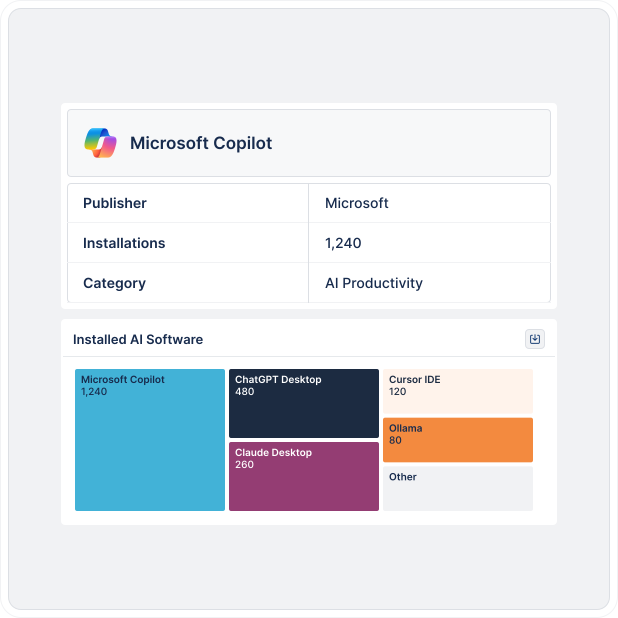
AI software, AI-capable hardware, and active AI service connections: all visible in a single dashboard, tied to individual assets. The AI Asset Management dashboard segments findings by approval status and risk level so teams know exactly where to act, without pulling data from separate systems.
AI Policy Compliance
If your organization has an AI policy, Lansweeper lets you verify compliance directly without the need for firewall log exports or manual investigation. See which devices connect to approved services and which don’t. Exposed API credentials, stored AI data, and high-risk connections are surfaced per device, before they become incidents.
Lansweeper surfaces several AI signals that together provide a complete view of how AI is being used across devices, users, and environments, including activity that would otherwise go undetected.
See which external AI services your devices are connecting to, how often, and how much data is moving. Identify unsanctioned usage without touching a firewall log.
Surface AI tools installed directly on endpoints without procurement or IT approval, closing a visibility gap that licensing and spend tools miss entirely.
Detect lightweight AI tools employees install in seconds through their browser. These are a primary entry point for unsanctioned AI usage and rarely appear in software inventories or spend data.
Detect AI models running entirely on-device, invisible to network monitoring. Critical for understanding where local AI processing is happening and where data residency and control gaps exist.
Highlight exposed API credentials tied to AI services, stored AI-generated data, and other device-level risk signals. Lansweeper surfaces these per asset so Security can act on specific, confirmed findings.
Capture system-level AI activity on managed Windows devices, validating and correlating usage beyond what network traffic and installed software alone can reveal.
Identify AI inference happening directly within the browser, even when no application or extension is installed. One of the hardest AI activities to detect, and one of the most common ways employees access AI without visibility.
Know which devices in your environment have the hardware to run AI locally: GPUs, NPUs, and AI-accelerated endpoints. Understanding capability alongside usage gives a complete picture of where AI activity can occur.
Identify AI assistants embedded in development environments, such as GitHub Copilot and similar tools. This is where sensitive source code and proprietary data are most at risk of being shared with external AI services without oversight.
EU AI Act
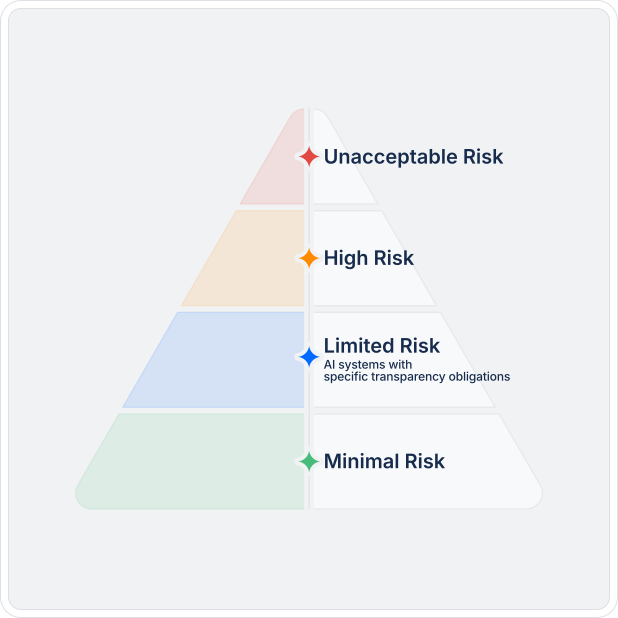
The EU AI Act requires organizations to classify AI systems by risk level and retain audit evidence, with enforcement beginning August 2026. In financial services, healthcare, and the public sector, AI governance obligations are tightening across every major market. Visibility is where compliance starts.
AI Governance
A continuously updated AI inventory means you can respond to a board member, auditor, or regulator without scrambling. Lansweeper keeps AI data current, tied to individual assets, and structured for reporting, so the answer is always available, not assembled under pressure.
How it works
Discover every asset, understand what’s at risk, and push trusted data to the tools that take action.


Continuously discover and classify every asset across IT, OT, cloud, and IoT — managed, unmanaged, and shadow — without manual effort.
Normalize and apply context, vulnerability data, and lifecycle signals to assess risk, forecast spend, and surface optimization opportunities.
Deliver trusted asset intelligence to ITSM, CMDB, and security tools so actions are accurate, scoped, and prioritized.
INTEGRATIONS
Lansweeper feeds trusted, continuously updated asset intelligence into the tools that take action.







Explore the full platform, free for 14 days.
No credit card required.
AI asset management is the practice of discovering, inventorying, and tracking all AI tools, services, and connections active within an organization’s environment. This includes locally installed AI applications, browser-based AI tools, external AI service connections, and AI-capable hardware, tied to individual devices and users so teams can identify risk, verify policy compliance, and support regulatory reporting.
Shadow AI refers to the use of AI tools, models, or embedded AI features without organizational approval, oversight, or visibility. In practice, this includes anything from accessing a public tool like ChatGPT or Claude through a browser to running local AI models on a work device or using AI features embedded inside approved SaaS platforms. Because most of this activity requires no installation, it rarely shows up in standard software inventory or spend tools, and it creates compliance risk, data exposure, and governance gaps that most organizations can’t see until it’s too late.
Lansweeper’s IT Agent and IT Sensor detect AI usage at the endpoint level by identifying external AI service connections, locally installed AI applications, AI browser extensions, developer AI integrations, and local AI model servers.
AI usage tracking is enabled with a single toggle in Discovery settings. Results appear in the AI Asset Management dashboard, where every finding is tied to a specific device and classified by risk level.
The EU AI Act requires organizations to classify AI systems by risk level, verify compliance for high-risk applications, and retain audit evidence with enforcement beginning August 2026.
Lansweeper supports compliance readiness by providing a continuously updated AI inventory tied to individual assets, risk classifications by device, and reporting-ready data that IT, Security, and compliance teams can use without manual investigation. Lansweeper is not a regulatory compliance platform, but it provides the asset visibility layer that AI governance frameworks depend on.
Lansweeper detects a wide range of AI services and tools, including connections to OpenAI (ChatGPT), Microsoft Copilot, Google Gemini, Anthropic, and other external AI platforms. It also identifies locally installed AI applications, AI browser extensions such as GitHub Copilot, AI integrations within developer tools, and local large language model (LLM) servers running on-device. Coverage is vendor-agnostic and does not require configuration per service.
AI usage tracking in Lansweeper is enabled with a single toggle in Discovery settings, no complex deployment or configuration per AI service required. Once enabled, Lansweeper’s IT Agent and IT Sensor begin detecting external AI service connections, locally installed AI applications, browser extensions, and local AI model servers, tied to individual devices and users. Results appear in the AI Asset Management dashboard. For organizations with Lansweeper already deployed, visibility into AI usage across managed endpoints can be active within a single discovery cycle.