Find what’s actually connected across IT, OT, cloud, and remote endpoints, including the assets nobody logged. Multiple ways is, all reconciled into one record per asset.

The Visibility Gap
Most discovery runs against a list of targets you define, so your inventory ends up reflecting your assumptions rather than your network. The devices nobody logged, the ones that reject agents, the ones sitting on a segment nobody documented. They never make the list, and they are also the ones most likely to hurt you.
How it works
Every IT and OT sensor runs two ways: passive detection by default, which finds devices as soon as they communicate, and credentialed active scanning when you want full profiling depth.
Discovers servers, workstations, and network devices. Passive detection runs the moment it is deployed. Add credentials and it returns installed software and config detail.

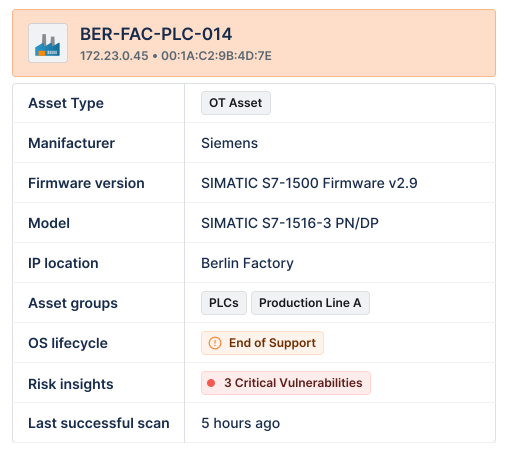
The same deployment model, tuned for industrial and segmented environments, so production assets are inventoried without touching the devices themselves.
Traffic sensor continuously analyzes network traffic, adding application dependencies, service relationships, and east-west patterns on top of detection.

Everything above works without an agent. But for laptops that rarely or never return to the corporate network, an agent is often the only option.

Direct API connections to AWS, Azure, and Google Cloud inventory virtual machines, containers, and cloud-native services.

Reconciliation
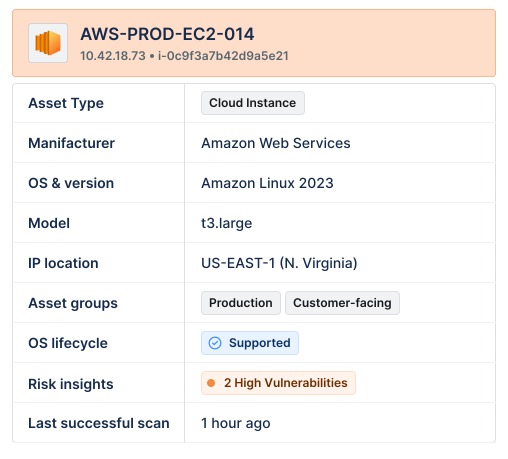
The same laptop gets found by a sensor, an agent, and a cloud API. Lansweeper matches on MAC address, serial number, and hostname, never IP, and merges them into one record listing every source that contributed and when. Your total asset count may go down, but that is the correct answer.
Most tools report a count. Lansweeper reports what it actually knows about each asset, and tells you how much is still unidentified.
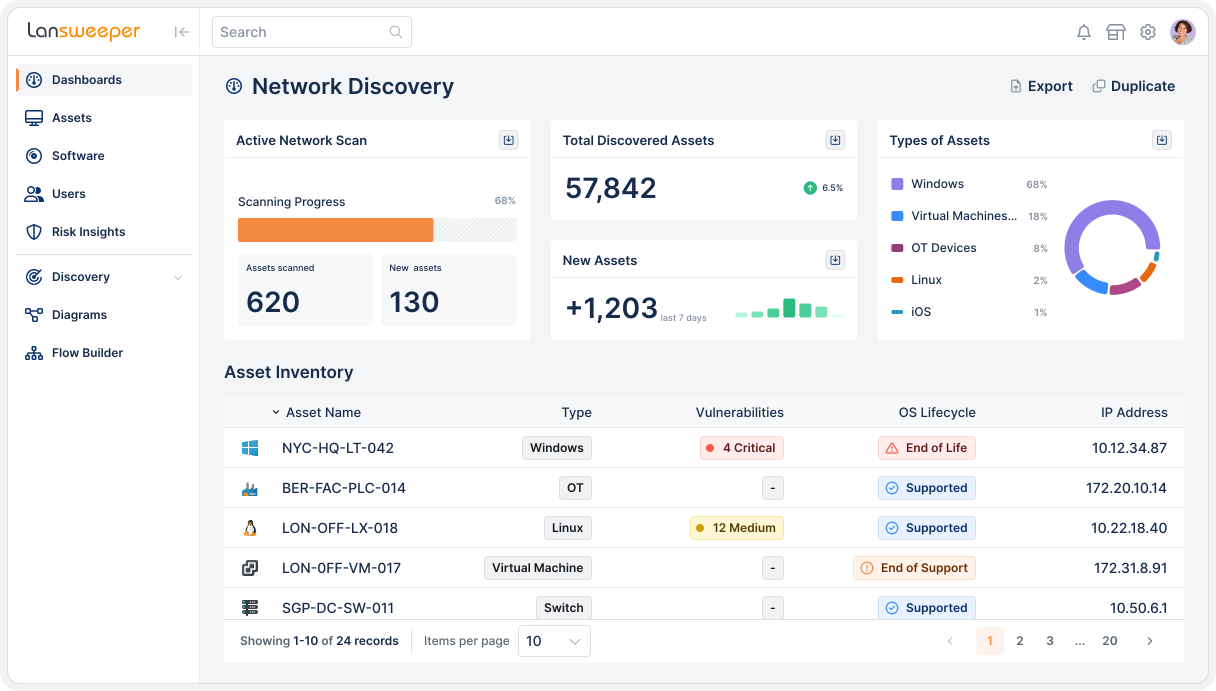
Passive detection sees the device communicate on a segment. You get a MAC address and an IP. Asset type reads Unknown.
Credential-free device recognition builds a machine learning fingerprint from the device’s own traffic and matches it against a library of 175M+ devices to return manufacturer, model, and operating system.
A credentialed active scan adds installed software, configuration, lifecycle stage, and vulnerability context.

IP Range Coverage
To achieve total visibility, you need to know what you’re not seeing yet. IP Range Coverage organizes your network into named IP ranges and measures how completely each segment is identified. See where visibility is strong, where blind spots remain, and where discovery efforts should focus next.

Risk Detection
Unmanaged assets are risks. Lansweeper detects and classifies devices as they appear, so you can act before anyone files a ticket.

AI Usage Tracking
You can’t manage your AI tools if you don’t know where to find them. AI Usage Tracking brings AI tools, browser-based AI services, locally run models, and external AI connections into your asset inventory. Gather full AI context on what’s being used, where it’s being used, and who is using it, all in one place.

AI usage tracking is in early access
Asset Inventory
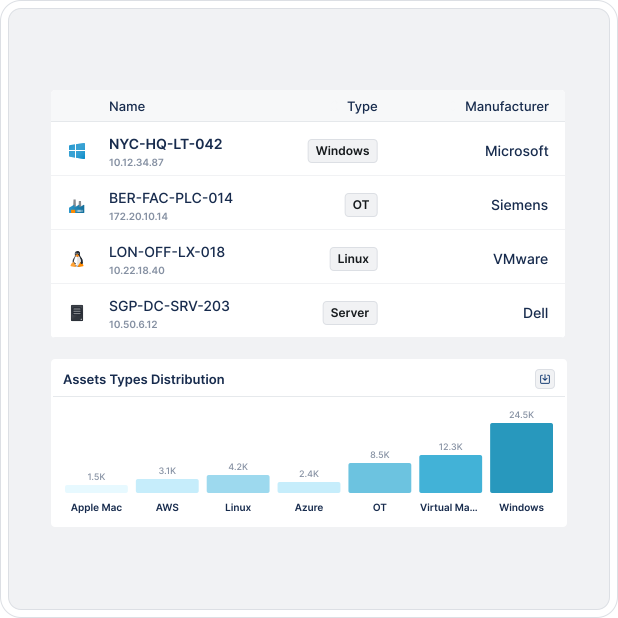
Automatically build and maintain a single, living source of truth across all your devices, systems, users, and cloud infrastructure — without the manual effort. Always up to date, always audit-ready.
USERS LOVE US




INTEGRATIONS
Lansweeper feeds trusted, continuously updated asset intelligence into the tools that take action.







Explore the full platform, free for 14 days.
No credit card required.
IT Asset Discovery is the process of automatically identifying and cataloging all devices and resources within an organization’s technology environment. The goal is to gain complete visibility into an organization’s IT environment – including its devices, applications, and installed software – allowing businesses to manage risks, improve efficiency, and reduce costs effectively.
Lansweeper automatically detects, recognizes, and scans every asset connected to the network. This process eliminates manual efforts, ensures real-time inventory updates, and mitigates the risk of overlooking devices, enhancing security and efficiency.
Lansweeper offers flexible scanning methods, including active and passive scanning features, agent-based and agentless options, and powerful device recognition functionalities.
Lansweeper offers comprehensive discovery capabilities across various technological domains, including IT, OT, IoT, and Public Cloud. It can detect a wide range of assets, such as workstations (Windows, Linux, Mac), servers, printers, switches, routers, cloud instances, virtual machines, PLCs, network devices, mobile devices, and other technology-related items.
Active discovery sends targeted probes or credential-based scans to enumerate assets, services and vulnerabilities. It delivers the deepest data (software versions, patch levels) but must be scheduled carefully to avoid network strain.
Passive discovery listens to network traffic or flow data, identifying devices in real time without touching them—ideal for fragile OT, IoT and segmented networks. Lansweeper’s Credential-Free Device Recognition (CDR) enhances passive listening by fingerprinting assets with no credentials required.
Key takeaway: active brings depth, passive brings safety and continuous visibility; combining both yields the most complete, up-to-date inventory.
Agent-based detection installs a lightweight software agent on each endpoint to capture rich, continuous telemetry, even when the device is off-network. This yields deep hardware, OS and software data, but requires endpoint deployment and lifecycle maintenance.
Agentless discovery communicates with devices over the network (WMI, SSH, SNMP, APIs) or leverages credential-free techniques such as Lansweeper’s Passive Discovery + Credential-free fingerprinting. It delivers rapid coverage with zero footprint on the device, yet may be limited by firewall rules or unavailable credentials.
Best practice: combine both methods. Ese agents for roaming laptops or locked-down servers, and agentless discovery for quick wins across data-center, OT and cloud assets.