As AI is further spreading into every single product, it is only natural to start looking at how these AI tools and functionalities can actually gives some value. Today I’ll be covering the Lansweeper MCP Server and how you can use it in Claude Cowork.
Before I go into Claude Cowork, I wanted to start with our MCP Server. It is now available in beta, and while Claude Cowork is cool, it isn’t what actually drives the value. Lansweeper’s MCP servers are what actually give it the data it relies on to do all the analysis and document building and more. It supports most major AI platforms, give the Lansweeper MCP server a try out how it can help you.
Here is the Lansweeper MCP Server:
Claude Cowork is Anthropic’s agentic work mode/product for knowledge work, where Claude can plan and carry out multi-step tasks instead of only replying in chat. Claude Cowork gets increasingly more interesting if you connect it to other products and create skills.
Since all this lingo might be new, here is a quick explanation of what the terms mean before I start throwing them around.
What I’ve created is a Lansweeper plugin for Claude Cowork. It contains 6 skills, and also the 2 connectors to connect to the Lansweeper MCP servers.
Installing this plugin is very straightforward. All you need to do is download and upload this .zip file as a personal or organization plugin depending on your situation or preference. If you’re not sure how to do that yet, here is the official documentation that can help you further (I also show it in the video).
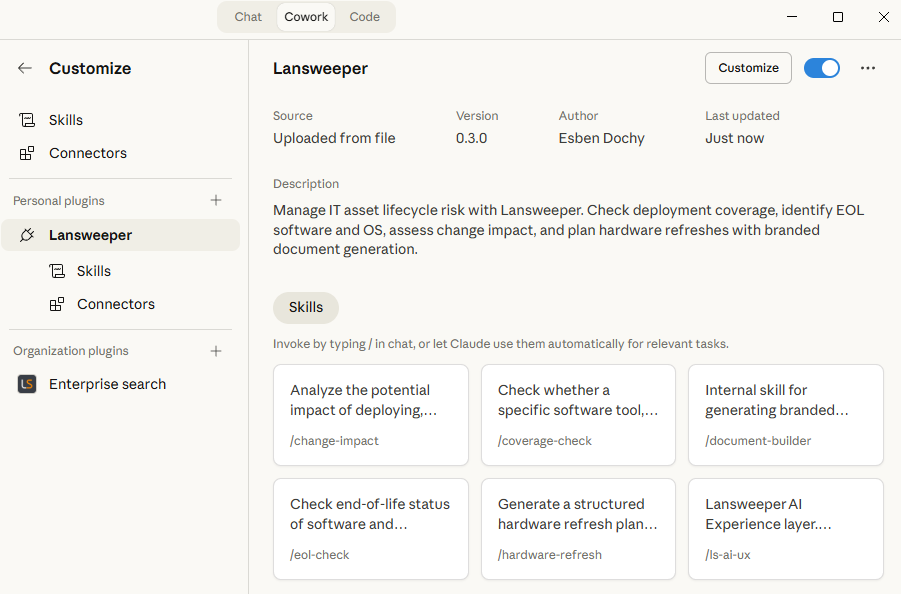
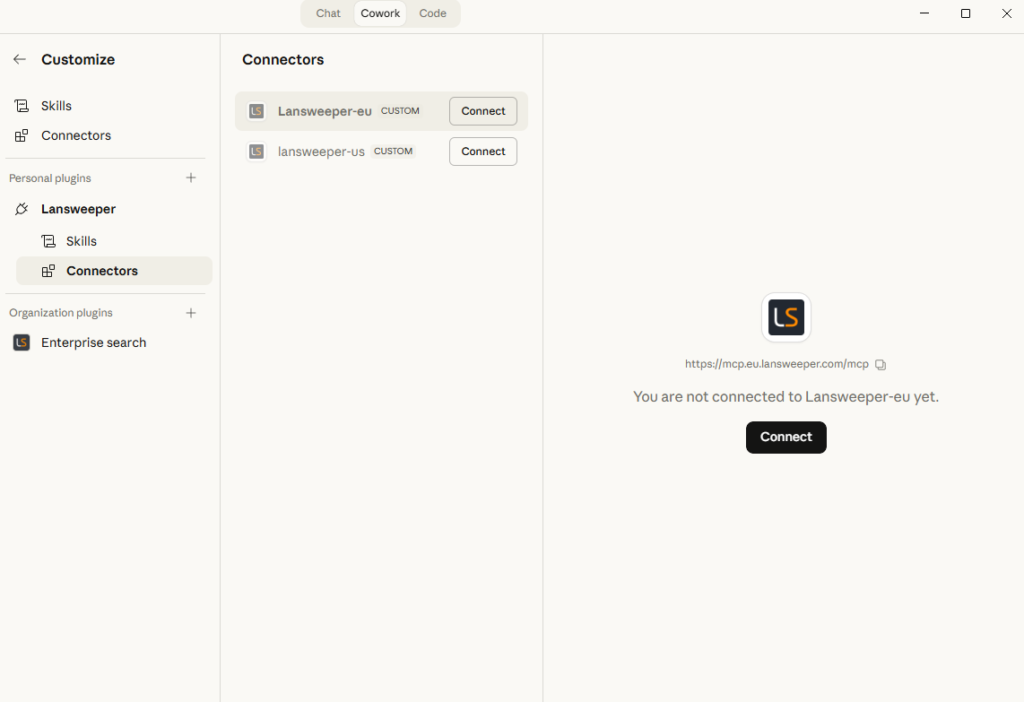
Once your plugin has been uploaded, the only thing remaining is installing and connecting to the MCP server connector.
You can go to the connectors of the plugin and install, and afterwards connect to the MCP server from there. If you are not able to install a connector, it is likely you’re not the organization’s admin and you’ll have to ask them to install the connectors for the organization.
Connecting afterwards is as easy as just logging into your Lansweeper Sites account.
The coverage check answers a simple question: Is tool X installed on every device where it should be?
Use this skill to verify whether an EDR agent, RMM tool, monitoring agent, backup client, or other software is fully deployed across your environment.
The skill helps you define your scope, such as specific asset types, OS versions, and domains or anything else you want to focus on. Then it identifies matching software names in your environment and compares them against your inventory. Any uncovered asset is classified as:
After the results, the skill can generate a prioritized rollout plan and hand off to the change impact skill for deeper analysis.
Example prompts: “Is CrowdStrike installed on all our servers?”, “Which Windows devices are missing the Intune agent?”, “Check Defender coverage across the London site.”
The EOL check identifies assets running end-of-life, or soon to be end-of-life, operating systems and software.
It follows a Lansweeper-first approach. Lansweeper lifecycle are treated as the primary source of truth. To enhance lifecycle data, it consults the endoflife.date API when Lansweeper lifecycle data is missing, or when checking software Lansweeper does not track directly (yet), such as SQL Server, Java, or .NET.
The skill supports three modes: a targeted OS audit, a specific software check, and a full lifecycle audit across the environment. Results are ranked by urgency so the most critical issues appear first.
Similar to other skills, once completed, it can create a document with the results or hand it off to the change impact skill for example to do further analysis.
Example prompts: “Which devices are running end-of-life operating systems?”, “What software is going EOL in the next 6 months?”, “Give me a full EOL audit.”
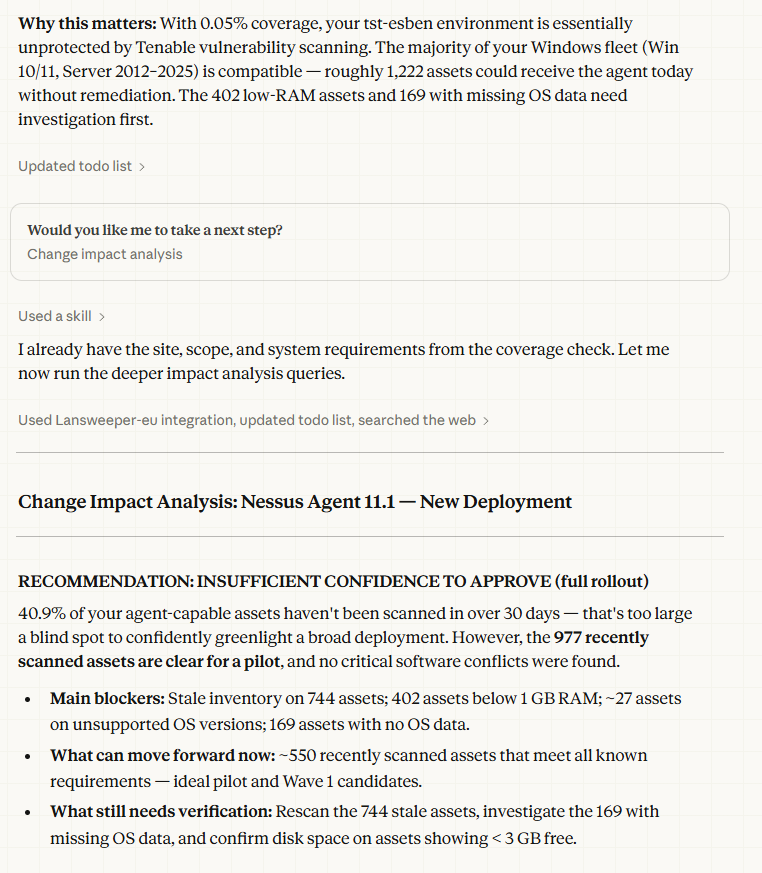
Before you deploy, upgrade, or remove software, the change impact skill helps you understand what might break. It combines Lansweeper inventory data, including OS versions, disk space, installed software, and scan freshness, with external compatibility research to produce a risk assessment.
The key difference is that it gives a clear recommendation, not just raw data. Every analysis ends with one of four outcomes:
Each finding is rated by severity and confidence so you know how much weight to give it. The skill can also generate a formal Change Impact Analysis document for CAB review.
Example prompts: “What’s the impact of deploying CrowdStrike to all servers?”, “Can we safely upgrade SQL Server from 2017 to 2022?”, “What would break if we remove Java 8?”
The hardware refresh skill turns Lansweeper asset data into a structured, financially grounded replacement plan. It scores each device based on factors like age, warranty status, health indicators, and OS supportability, then groups devices into prioritized replacement waves.
It is especially useful for budgeting because it adds a financial model. It estimates cost bands per wave and includes cost-of-deferral analysis, comparing refresh spend against the cost of doing nothing, such as higher support demand, security exposure, and productivity loss.
Replacement waves can be organized by site, department, asset type, or any other user-defined grouping. The skill also accounts for blackout windows and delivery capacity when planning timing.
Example prompts: “Build me a hardware refresh plan for all devices over 5 years old.”, “Which devices should we replace first?”, “Give me a hardware refresh budget forecast.”
The document builder is not usually called directly. It is the internal component other skills use when they need to create a polished deliverable.
When the coverage check generates a rollout plan, or the EOL check produces an audit report, the document builder handles the output. It supports four formats: Word (.docx), PDF (.pdf), PowerPoint (.pptx), and Excel (.xlsx).
Branding is flexible. By default, it uses Lansweeper brand styling. It can also apply your own branding, either by extracting colors from your company website or using values provided manually.
There is one more component that users do not trigger directly, but it shapes how the plugin behaves: the LS AI Experience layer (ls-ai-ux).
This behavioral layer enforces five principles across all plugin interactions:
In practice, this means the plugin stays concise, avoids suggesting irrelevant capabilities, and clearly flags incomplete or stale data instead of hiding gaps.
Here’s what a typical interaction looks like when you bring it all together:
The skills chain naturally. You start with discovery, move to analysis, and end with a deliverable. No context is lost between steps because the plugin carries the conversation forward.
If you have access to Claude Cowork, we’re very interested in seeing how well it works for you, what you use it for and what we can improve? You can give us feedback in many ways, the Lansweeper subreddit, your account manager, you customer success manager, you can try guessing my email or contact anyone at lansweeper and tell them for forward it to me.
Explore Lansweeper for free.
No credit card required.