

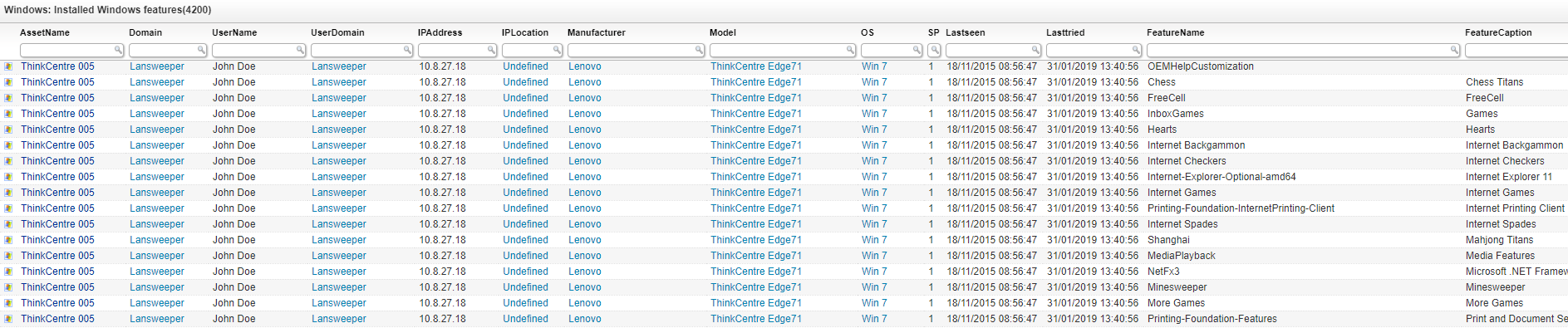
Get an overview of all installed Windows features within your environment. When Lansweeper scans a Windows machine, the installed features are also retrieved. This overview report lists all the installed features per computer. By using the sorting options you sort each column to find computers with specific features installed. Additionally, you can use the filtering to find specific computers or services.
Select Top 1000000 tblAssets.AssetID,
tblAssets.AssetName,
tblAssets.Domain,
tblAssets.Username,
tblAssets.Userdomain,
Coalesce(tsysOS.Image, tsysAssetTypes.AssetTypeIcon10) As icon,
tblAssets.IPAddress,
tsysIPLocations.IPLocation,
tblAssetCustom.Manufacturer,
tblAssetCustom.Model,
tsysOS.OSname As OS,
tblAssets.SP,
tblAssets.Lastseen,
tblAssets.Lasttried,
tblFeatureUni.featureName As FeatureName,
tblFeatureUni.featureCaption As FeatureCaption,
tblFeatureUni.addedDate As DateAdded,
tblFeature.Lastchanged As LastChanged
From tblAssets
Inner Join tblAssetCustom On tblAssets.AssetID = tblAssetCustom.AssetID
Inner Join tsysAssetTypes On tsysAssetTypes.AssetType = tblAssets.Assettype
Inner Join tblFeature On tblAssets.AssetID = tblFeature.AssetId
Inner Join tblFeatureUni On tblFeatureUni.featUniID = tblFeature.featUniId
Inner Join tsysIPLocations On tsysIPLocations.LocationID =
tblAssets.LocationID
Inner Join tblState On tblState.State = tblAssetCustom.State
Left Join tsysOS On tblAssets.OScode = tsysOS.OScode
Where tblState.Statename = 'Active'
Order By tblAssets.Domain,
tblAssets.AssetName,
FeatureCaption
Explore Lansweeper for free.
No credit card required.