

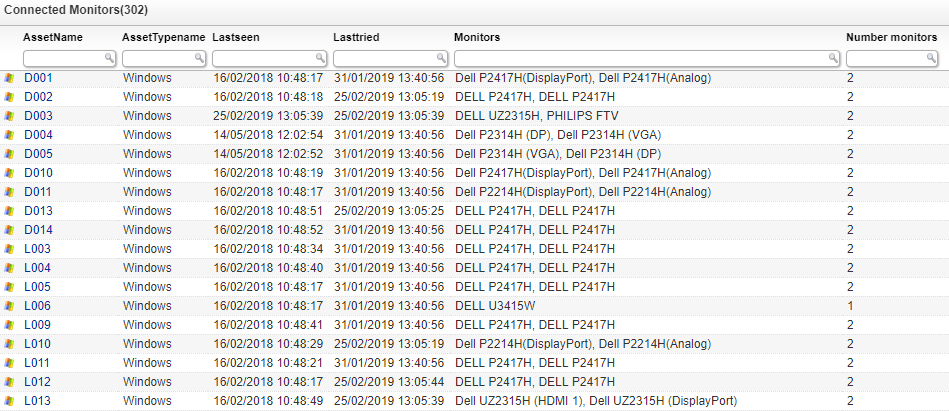
Select Top 1000000 tblAssets.AssetID,
  tblAssets.AssetName,
  tsysAssetTypes.AssetTypename,
  tsysAssetTypes.AssetTypeIcon10 As icon,
  tblAssets.Lastseen,
  tblAssets.Lasttried,
  Stuff((Select ', ' + CAST(t2.MonitorModel As Varchar(100)) from
    tblMonitor t2 Where t1.AssetID=t2.AssetID for XML path('')),1,2,'') Monitors,
  countMonitor.numberMonitors As [Number monitors]
From tblAssets
  Inner Join tblAssetCustom On tblAssets.AssetID = tblAssetCustom.AssetID
  Inner Join tsysAssetTypes On tsysAssetTypes.AssetType = tblAssets.Assettype
  Left Join tblMonitor t1 On tblAssets.AssetID = t1.AssetID
  Inner Join (Select tblMonitor.AssetID,
    Count(tblMonitor.MonitorID) As numberMonitors
  From tblMonitor
  Group By tblMonitor.AssetID) countMonitor On countMonitor.AssetID =
    tblAssets.AssetID
Where tblAssetCustom.State = 1
Group by tblAssets.AssetID, tblAssets.AssetName, tsysAssetTypes.AssetTypename,
  tsysAssetTypes.AssetTypeIcon10, tblAssets.IPAddress, tblAssets.Lastseen,
  tblAssets.Lasttried, countMonitor.numberMonitors, t1.AssetID
Order By tblAssets.AssetName,
  Monitors
Explore Lansweeper for free.
No credit card required.