

Discover unauthorized software in your network easily with this audit. Lansweeper will automatically scan software within your network. Once your software has been scanned you use software authorization to mark software as approved or unauthorized on-premises or the custom report in Lansweeper Sites. Once you’ve set up your software authorization you can easily audit your network for unauthorized software and identify the exact devices they are on to start taking action. You can learn more about this in the Pro Tips 55 blog.
Run The Unauthorized Software Audit Now!
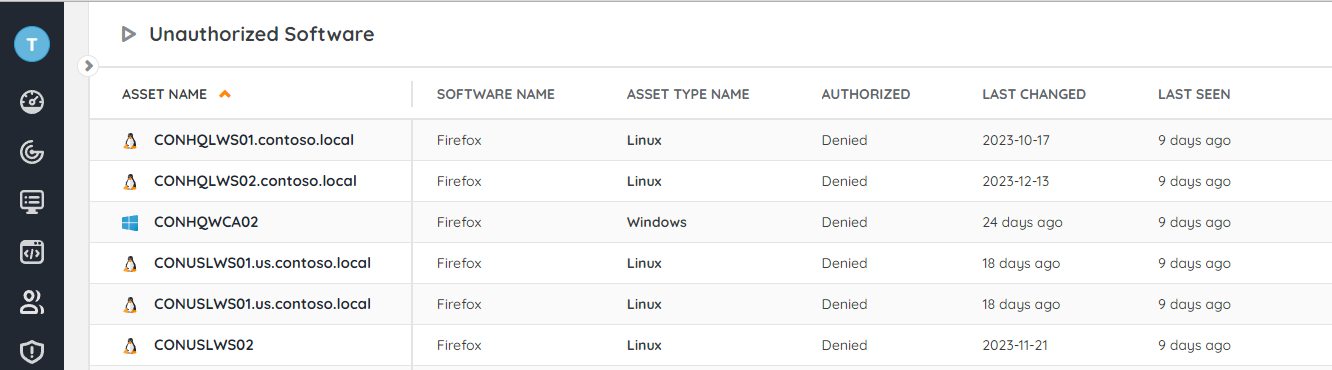
Select Top (1000000) tblAssets.AssetID,
  tblAssets.AssetName,
  tblSoftwareUni.softwareName As Software,
  tblSoftware.softwareVersion As Version,
  (Select Case tblSoftware.MsStore
        When 0 Then 'Desktop app'
        Else 'Microsoft Store app'
      End) As 'Type',
  tblSoftware.Lastchanged,
  tblAssets.Domain,
  tblAssets.Username,
  tblAssets.Userdomain,
  tblAssets.IPAddress,
  tblAssets.Description,
  tblAssetCustom.Manufacturer,
  tblAssetCustom.Model,
  tblAssetCustom.Location,
  tsysIPLocations.IPLocation,
  tsysOS.OSname As OS,
  tblAssets.Firstseen As [Created at],
  tblAssets.Lastseen As [Last successful scan]
From tblSoftware
  Inner Join tblAssets On tblSoftware.AssetID = tblAssets.AssetID
  Inner Join tblSoftwareUni On tblSoftware.softID = tblSoftwareUni.SoftID
  Inner Join tblAssetCustom On tblAssets.AssetID = tblAssetCustom.AssetID
  Inner Join tsysOS On tblAssets.OScode = tsysOS.OScode
  Left Outer Join tsysIPLocations On tsysIPLocations.LocationID =
      tblAssets.LocationID
Where tblSoftwareUni.Approved = 2 And tblAssetCustom.State = 1
Order By tblAssets.AssetName,
  Software
Explore Lansweeper for free.
No credit card required.