

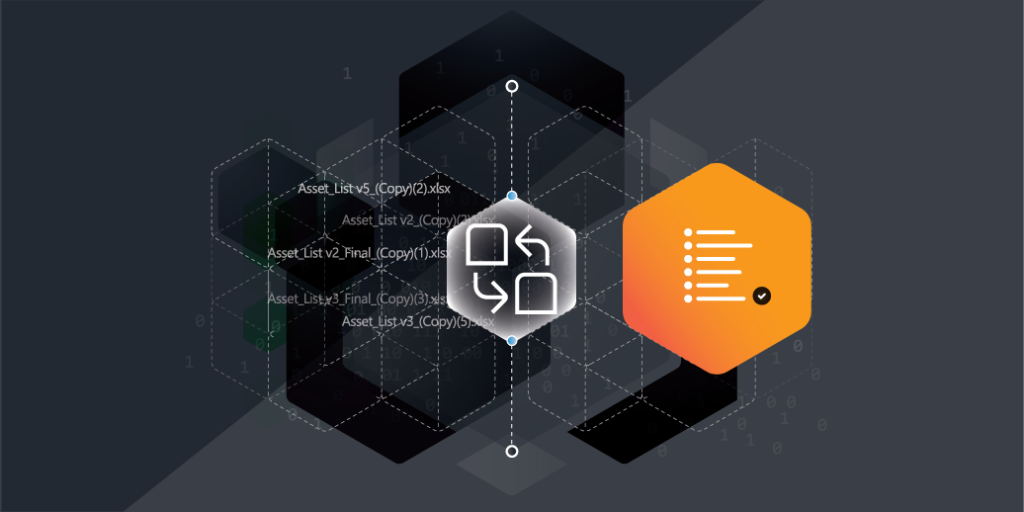
Why are so many businesses still relying on spreadsheets for IT asset management? If you are using them, you are definitely not alone—and it’s easy to see why. Spreadsheets feel familiar, flexible, and seemingly cost-free. They let you organize data your way, without the need for new tools or training. But let’s be honest. Are they really working for you? How much time do you spend hunting down outdated entries or fixing errors from shared files? As your organization grows, those trusty spreadsheets quickly become a bottleneck—slowing you down, making collaboration harder, and leaving you with incomplete or inaccurate data just when you need it most.
Thinking about upgrading from spreadsheets to a real asset management tool but not sure where to start? Let’s explore how modern asset management tools can save you time, cut errors, boost collaboration, and give you the insights you need to take full control of your IT assets.
When you’re managing a handful of assets, spreadsheets can feel like a perfect solution. You control everything: the format, the data entry, and the organization. It’s easy, straightforward, and you don’t have to invest in new tools. But as your organization expands, so does your IT asset inventory—and that’s where spreadsheets start to fall short.
As your list grows, keeping track of everything in a single file or multiple sheets becomes a nightmare. Each update, each asset addition, or change requires manual input, increasing the chance for errors. What was once an efficient process starts to feel like a never-ending vicious cycle—when you fix one problem, another one pops up. Searching for the right file or trying to find the most up-to-date information takes more time than you can afford, especially when you’re under pressure to make quick decisions. The lack of scalability in spreadsheets becomes a serious block, slowing down your operations and wasting precious resources.
Another big issue with spreadsheets is data integrity. With multiple people inputting, updating, and reviewing asset data, there’s a lot of room for error. Even with the best intentions, human mistakes can creep in. A typo here, an incorrect formula there, and suddenly, your asset information is inaccurate. This is not just a minor inconvenience—it can have serious implications.
Think about it: outdated or incorrect data could lead to misinformed decisions about purchasing new assets, retiring old ones, or tracking warranties and licenses. Worse, relying on inaccurate data can cause compliance issues or security risks. When your spreadsheet is the only source of truth, it becomes all too easy to overlook these discrepancies until they turn into bigger problems. In an ideal world, you’d have real-time, accurate, and consistent data at your fingertips. But with spreadsheets, that’s simply not the case.
Finally, spreadsheets fail when it comes to collaboration and accessibility. IT teams today are often spread across different locations and departments, working together on complex tasks that require seamless communication and real-time updates. Unfortunately, spreadsheets don’t make collaboration easy.
If you’re still emailing spreadsheets back and forth or relying on shared drives, it’s hard to know who made what changes and when. Confusion can set in quickly, leading to overlapping updates, missed revisions, and even the dreaded “version control” nightmare. As more people get involved in managing assets, the lack of transparency in spreadsheets makes it harder for teams to stay on the same page.
Additionally, accessibility is another barrier. Spreadsheets are typically stored on local machines or shared drives, which can create access issues for remote teams or anyone who doesn’t have the latest version. In a world where you need immediate access to up-to-date information from anywhere, relying on static files just doesn’t cut it.
Upgrading from spreadsheets to dedicated IT asset management software isn’t just about getting rid of inefficiencies; it’s about setting your team up for success in the long term. While spreadsheets offer basic functionality, asset management software offers a whole new level of control, organization, and scalability. Let’s break down the real benefits you’ll experience when you make the switch.
One of the biggest challenges with spreadsheets is keeping everything organized, especially when dealing with a growing number of assets. Data tends to get scattered across different files, versions, and formats, making it harder to maintain a consistent and accurate record. Over time, this lack of structure can cause confusion and errors, with critical information getting lost in the shuffle.
With asset management software, data is centralized, making it easier to keep track of everything in one place. You’ll be able to catalog assets on your computer with more precision—whether it’s hardware, software, licenses, or contracts. These systems allow you to add detailed information, such as serial numbers, purchase dates, warranty information, and more, with just a few clicks. Instead of hunting down multiple files, you’ll have a single, organized system to track every asset, no matter how large your inventory grows.
Most importantly, the software ensures that your data is consistent and up-to-date. When assets change hands, get updated, or need repairs, you can make real-time updates that everyone in your organization can immediately access. This improves both visibility and accuracy, ensuring that everyone—whether in IT or finance—has the information they need at their fingertips.
Another huge advantage of using asset management software is the ability to automate manual tasks and streamline your workflows. In a spreadsheet world, tracking down asset lifecycle stages, scheduling maintenance, or renewing licenses requires constant manual input and monitoring. This not only eats up your valuable time but also increases the likelihood of human error from your team.
With asset management software, many of these tasks can be automated. For example, you can set up alerts for when maintenance is due, when licenses need to be renewed, or when warranties are about to expire. The system can send you automated notifications, so you never miss a critical task. This automation can even extend to reporting, where the software can generate detailed, up-to-date reports on asset status, usage, and financials—without you needing to compile all the data manually.
The result? You save time, reduce mistakes, and free up your team to focus on more strategic initiatives. Your workflows become more efficient, and you can rest easy knowing that important tasks are handled on schedule, automatically.
In 2025, security and compliance are more important than ever. With spreadsheets, ensuring data security is often a matter of manually locking files or relying on email exchanges, neither of which are secure enough for sensitive asset data. Additionally, compliance tracking is a headache when using spreadsheets because updates and documentation can easily get overlooked or missed.
Asset management software takes the guesswork out of security and compliance. These systems are designed with robust security features, such as role-based access control, audit trails, and encrypted data storage. This ensures that only authorized personnel can access sensitive asset data, while maintaining a full history of changes made to the system. If an auditor needs access to historical asset records, you can provide them with a complete, unaltered trail of information, giving you peace of mind and ensuring compliance with industry standards.
On the compliance front, asset management software typically includes built-in reporting tools to track the compliance status of your assets, whether it’s software licenses, security patches, or hardware configurations. The software helps you stay ahead of audits by ensuring your assets are properly documented, up-to-date, and compliant with internal and external regulations. It also helps mitigate risk by alerting you to non-compliance issues before they escalate into serious problems.
Switching to asset management software isn’t just a step up from spreadsheets—it’s a game changer. From better data management to streamlined workflows and enhanced security, the right software can help you optimize your asset management strategy for 2025 and beyond. By improving organization, increasing efficiency, and ensuring compliance, you’ll empower your team to make better decisions, reduce risks, and save time—leaving you to focus on the bigger picture.
Choosing the right asset management software can feel like a daunting task, especially when there are so many options available. To help you narrow down your choices and make an informed decision, it’s important to focus on a few key features that will directly benefit your team and streamline your operations. Outlined below are the essential features to look for in asset management software to ensure you’re getting the best value for your organization.
When managing assets, whether they’re hardware, software, licenses, or users, having a centralized place to store all your data is crucial. One of the standout features of modern asset management software is the ability to create a single, easily accessible repository for all your asset information. This eliminates the need for multiple spreadsheets, emails, or file versions floating around, which can cause confusion and lead to errors.
Why it matters
Key things to look for:
Gone are the days of manually updating spreadsheets or waiting for periodic updates on asset status. Automated tracking and monitoring are essential for keeping tabs on asset location, condition, and usage. Asset management software that offers automatic updates helps you stay on top of everything, from asset deployment to performance metrics.
Why it matters
Key things to look for:
When it comes to asset management, simply collecting data isn’t enough—you need to be able to interpret it and make decisions based on it. Customizable reporting and analytics are key features that allow you to dive deeper into your asset data and gain actionable insights.
Why it matters
Key things to look for:
By focusing on these key features when evaluating asset management software, you’ll be able to choose a solution that aligns with your organization’s goals, enhances efficiency, and reduces risks. A centralized asset repository, automated scanning, and customizable reporting are just a few of the tools that can transform how you manage assets, enabling your team to operate with greater accuracy and agility.
Migrating your asset data from spreadsheets, legacy systems, or multiple platforms into a new asset management software is a crucial but often challenging part of the implementation process. A smooth migration and integration not only ensure the accuracy of your data but also guarantees that your new system operates efficiently across your organization. Below is a step-by-step approach to ensure a successful data migration and integration.
Before you begin the migration process, take a close look at your current data. This is essential to identify any discrepancies, outdated information, or incomplete entries. Start by conducting an audit of your existing data to assess its accuracy and relevance. Here’s how to do it:
Once your data has been cleaned and audited, you will have a streamlined dataset to move forward with—free of errors and inconsistencies.
There are different methods for migrating data, depending on the complexity and scale of your systems. Choose the method that best fits your needs:
The choice of method will depend on your organization’s size, the complexity of your data, and the resources available.
Before fully migrating your entire dataset, test the process with a small batch of data. This allows you to identify any issues or glitches early on, without affecting your entire dataset. Testing helps ensure that:
Make adjustments as needed based on the test results before proceeding with the full migration.
For asset management software to work effectively, it needs to integrate with your other systems—such as financial management software, IT infrastructure, and other internal tools. This integration is crucial for streamlining workflows and improving overall efficiency.
Seamless integration reduces manual data entry and enhances collaboration, making asset management more efficient and ensuring that everyone in the organization works from a single, unified dataset.
Data migration doesn’t end once the software is integrated. Your team must know how to use the new system effectively. Provide training sessions and offer ongoing support to ensure smooth adoption:
By following these steps, you can ensure that your data migration and integration process is as smooth as possible. With accurate, standardized data and seamless system integration, your asset management software will be set up for success, driving efficiency and helping your team work more effectively.
Real-world examples of companies successfully implementing asset management software can offer valuable insights into the benefits and operational improvements that come with adopting modern solutions. Below are several outcomes organizations have experienced after transitioning from spreadsheets or legacy systems to integrated asset management software.
A mid-sized manufacturing firm experienced substantial efficiency gains after moving from spreadsheets to asset management software. Prior to the switch, the company used spreadsheets to track equipment, which involved frequent manual updates and was prone to errors. After adopting asset management software, the company automated maintenance scheduling, enabling real-time monitoring of equipment status. This shift led to:
Research by the Aberdeen Group shows that companies with automated asset management report 20-30% reduction in maintenance costs and 10-15% improvements in uptime.
A large retail chain implemented asset management software to track its IT infrastructure across hundreds of locations. By centralizing asset data, the company gained real-time visibility into the location, condition, and usage of all its assets. This allowed them to:
The result was significant cost savings and better alignment of resources to meet demand. According to a report from Gartner, businesses with centralized asset management systems report up to 20% improvement in asset utilization rates.
A financial services provider adopted asset management software to maintain regulatory compliance with industry standards. Prior to the software implementation, the company struggled to keep track of asset compliance manually, leading to potential audit risks. After the implementation, automated tracking and reporting allowed them to:
By using automated asset tracking, the company was able to manage risk more effectively and plan ahead with greater accuracy. A PwC study revealed that organizations with automated compliance tracking tools are 30% less likely to experience audit failures compared to those relying on manual tracking.
Asset management is continuously evolving, and staying ahead of the curve requires adopting new technologies that can improve your efficiency and support your growth. Here are a few future trends that are already shaping the landscape of asset management technology.
Artificial intelligence (AI) and machine learning are revolutionizing asset management by enabling predictive capabilities that go beyond just tracking asset status. With AI, asset management software can analyze large datasets and predict when an asset will require maintenance or need to be replaced. This predictive maintenance minimizes downtime, increases asset longevity, and helps reduce overall operational costs.
Machine learning algorithms can also optimize IT asset inventory management by analyzing usage patterns and predicting future needs. As the technology continues to evolve, AI and machine learning will become even more integrated into asset management software, helping organizations make smarter decisions and improve efficiency.
The integration of IoT devices into asset management is another exciting trend. With IoT sensors attached to assets, businesses can collect real-time data on their condition, location, and usage patterns. This level of insight allows for more proactive asset management, as you can monitor assets remotely and receive alerts if an issue arises. IoT integration also helps to streamline workflows, as you can collect data directly from the assets themselves without needing manual input.
As IoT technology advances, the ability to connect more assets and gather more data will only improve. This will enable businesses to track and manage their assets more efficiently and make data-driven decisions that enhance operational performance.
The future of asset management is incredibly exciting, with technology continually improving how we manage and optimize our resources. By understanding the latest trends and implementing them strategically, you can position your organization for greater success. Whether it’s AI-driven insights, IoT integration, or predictive maintenance, these innovations are all designed to make your asset management strategy more proactive, accurate, and cost-effective.
The first step in optimizing your asset management is gaining full visibility into your assets. Lansweeper’s asset discovery engine gives you automated insights into every asset on your network—hardware, software, and users—ensuring nothing is overlooked.
With Lansweeper, you can:
Blog


Explore Lansweeper for free.
No credit card required.