

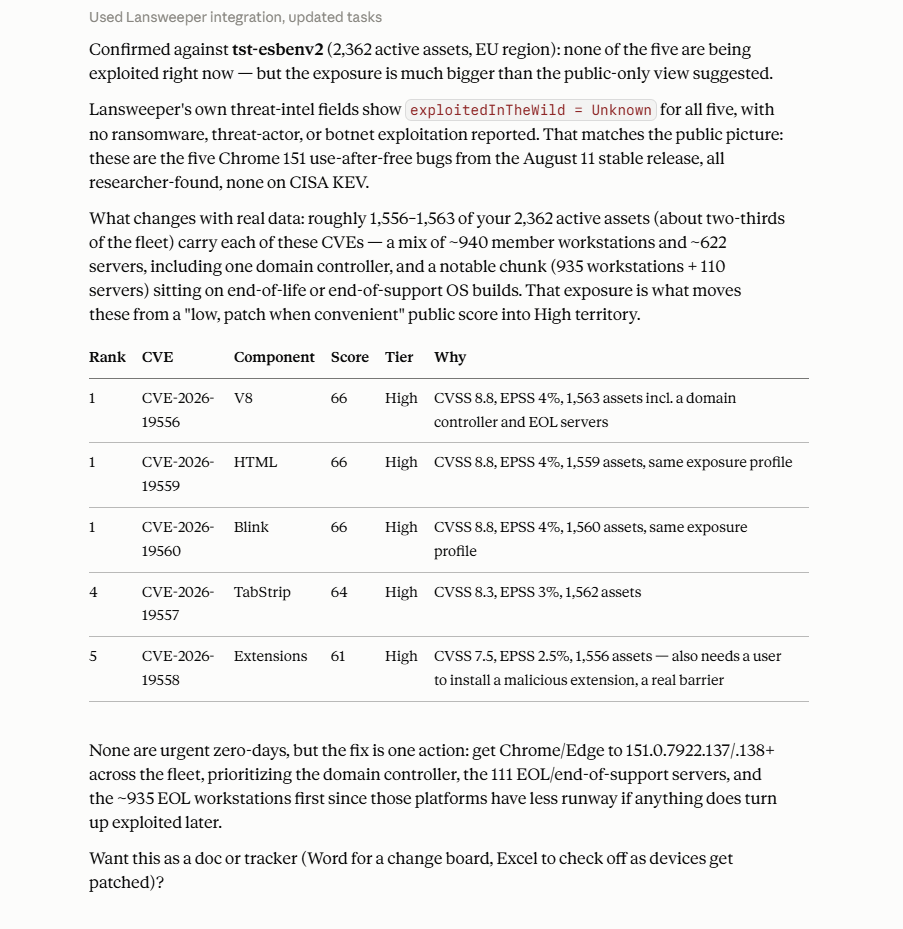
The Vulnerability Triage skill scores every candidate CVE on three dimensions: severity (CVSS), real-world exploitability (CISA KEV, EPSS, plus Lansweeper’s ransomware/threat-actor/botnet exploitation signals), and environment exposure (affected asset count, criticality, and EOL/unsupported platform status) pulled from Lansweeper’s live vulnerability data. It works from a pasted CVE list, an uploaded scanner export (Qualys, Nessus, Tenable, Rapid7), or nothing at all — querying the environment directly when no list is given. The output is a ranked top 10 with a plain-language rationale per CVE, with any score lacking real exposure data flagged explicitly. An optional Word write-up or Excel tracker can be generated afterward for change-board review or remediation tracking.
Vulnerability backlogs sit at the intersection of two questions that get asked separately but need one answer:
“What’s realistically going into this week’s patch window?”
Exposure: how many devices does this touch, and are they servers or workstations?
Sequencing: which fixes are patchable now versus sitting on EOL platforms with no fix coming?
“Which of these are actually being exploited right now?”
Exploitability: is this CVE on CISA’s KEV list, or linked to ransomware, threat actors, or botnets?
Defensibility: can I justify to leadership why #1 outranks #7 on the list?
This skill produces a single, scored ranking both teams can work from.
Lansweeper MCP
https://mcp.lansweeper.com/mcp
Lansweeper plan
Starter, Pro, Enterprise
LLM
Claude 3.5+, Gemini, ChatGPT, Copilot
Step 1 — Download
Download the skill package for your platform by selecting Claude, ChatGPT, Gemini, or Copilot.
Step 2 — Install
Step 3 — Connect Lansweeper
All four need the Lansweeper MCP connector for exposure-scored results; without it, each falls back to public CVE data only.
Step 4 — Provide a vulnerability list
Paste a list of CVE IDs, or upload a vulnerability scanner export (Qualys, Nessus, Tenable, Rapid7, Lansweeper). This step is required on all four platforms right now — a broad, listless ask doesn’t reliably trigger the skill yet.
Step 5 — Ask