

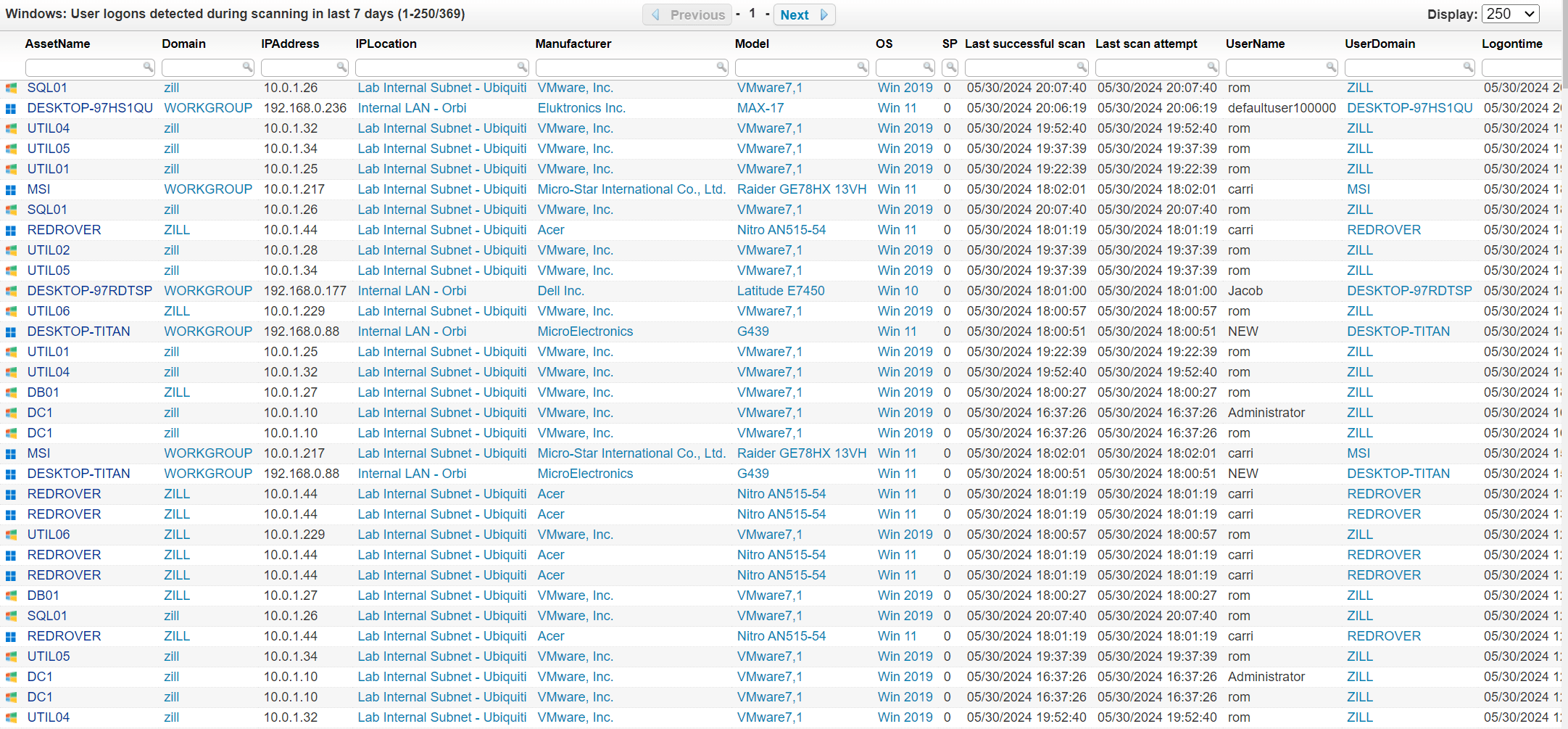
To display all user logons detected during an asset scan for the past 7 days using Lansweeper, you can use this report that retrieves user logon information from Lansweeper, capturing all logon events that have occurred within the last week. The report will include essential data such as logon timestamps, user names, and associated asset details, allowing administrators to track user activity and identify any unusual or unauthorized access. Implementing this report provides a clear and concise overview of user logons, facilitating effective monitoring and security management within the network.
Select Top (1000000) tblAssets.AssetID,
  tblAssets.AssetName,
  tblAssets.Domain,
  Coalesce(tsysOS.Image, tsysAssetTypes.AssetTypeIcon10) As icon,
  tblAssets.IPAddress,
  tsysIPLocations.IPLocation,
  tblAssetCustom.Manufacturer,
  tblAssetCustom.Model,
  tsysOS.OSname As OS,
  tblAssets.SP,
  tblAssets.Lastseen As [Last successful scan],
  tblAssets.Lasttried As [Last scan attempt],
  tblCPlogoninfo.Username,
  tblCPlogoninfo.Domain As Userdomain,
  tblCPlogoninfo.logontime,
  tblAssets.LsAgentVersion
From tblAssets
  Inner Join tblCPlogoninfo On tblAssets.AssetID = tblCPlogoninfo.AssetID
  Inner Join tsysAssetTypes On tsysAssetTypes.AssetType = tblAssets.Assettype
  Inner Join tsysIPLocations On tsysIPLocations.LocationID =
      tblAssets.LocationID
  Inner Join tblAssetCustom On tblAssets.AssetID = tblAssetCustom.AssetID
  Inner Join tblState On tblState.State = tblAssetCustom.State
  Left Outer Join tsysOS On tblAssets.OScode = tsysOS.OScode
Where tblCPlogoninfo.logontime > GetDate() - 7 And tblState.Statename = 'Active'
Order By tblCPlogoninfo.logontime Desc,
  tblAssets.Domain,
  tblAssets.AssetName
Explore Lansweeper for free.
No credit card required.