

Fortinet has released updates for their FortiWeb Web Application Firewall in response to a critical zero-day vulnerability that has already been actively exploited since early October. The vulnerability allowed unauthenticated attackers to exploit an unknown FortiWeb path traversal flaw to create new administrative users.
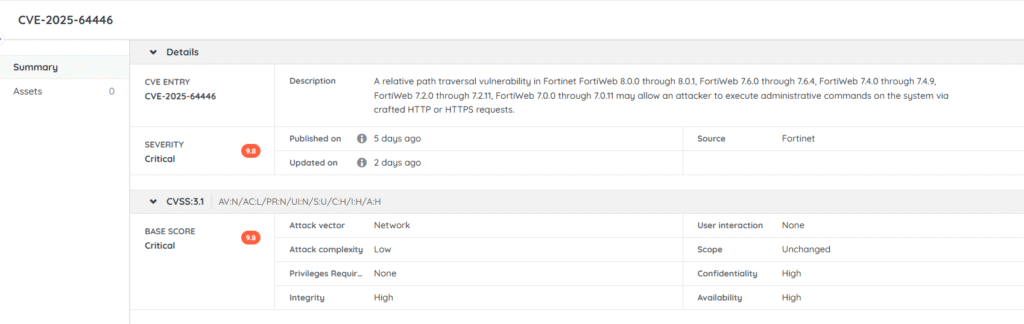
The Classic report below will give you an overview of all FortiWeb devices in your network so that you can more easily track which of them are on a fixed version and which ones may still be vulnerable. The link below will take you straight to the Risk Insights page on the Lansweeper Platform for CVE-2025-64446. You can read more about this issue in our Vulnerability blog post.
Select Top 1000000 tblAssets.AssetID,
tblAssets.AssetName,
tsysAssetTypes.AssetTypeIcon10 As icon,
tblAssets.IPAddress,
tsysIPLocations.IPLocation,
tblAssetCustom.Manufacturer,
tblAssetCustom.Model,
tblAssets.Description,
Case
When tblErrors.ErrorText Is Not Null Or
tblErrors.ErrorText != '' Then
'Scanning Error: ' + tsysasseterrortypes.ErrorMsg
Else ''
End As ScanningErrors,
tblAssets.Lastseen,
tblAssets.Lasttried
From tblAssets
Inner Join tblAssetCustom On tblAssets.AssetID = tblAssetCustom.AssetID
Inner Join tsysAssetTypes On tsysAssetTypes.AssetType = tblAssets.Assettype
Inner Join tsysIPLocations On tsysIPLocations.LocationID =
tblAssets.LocationID
Inner Join tblState On tblState.State = tblAssetCustom.State
Left Join (Select Distinct Top 1000000 tblErrors.AssetID As ID,
Max(tblErrors.Teller) As ErrorID
From tblErrors
Group By tblErrors.AssetID) As ScanningError On tblAssets.AssetID =
ScanningError.ID
Left Join tblErrors On ScanningError.ErrorID = tblErrors.Teller
Left Join tsysasseterrortypes On tsysasseterrortypes.Errortype =
tblErrors.ErrorType
Where tblAssetCustom.Manufacturer Like '%fortinet%' and
tblAssetCustom.Model like '%fortiweb%'
Order By tblAssetCustom.Model,
tblAssets.IPAddress
Explore Lansweeper for free.
No credit card required.