

To display the scan logs for all LsAgent-based scans for Windows using Lansweeper, you can utilize a specific report. This report is designed to extract detailed information from Lansweeper, capturing relevant scan activities conducted by LsAgent on Windows devices, enabling administrators to monitor and analyze the scanning performance and coverage across their network. Implementing this report ensures comprehensive visibility into LsAgent operations, aiding in proactive management and troubleshooting of the network assets.
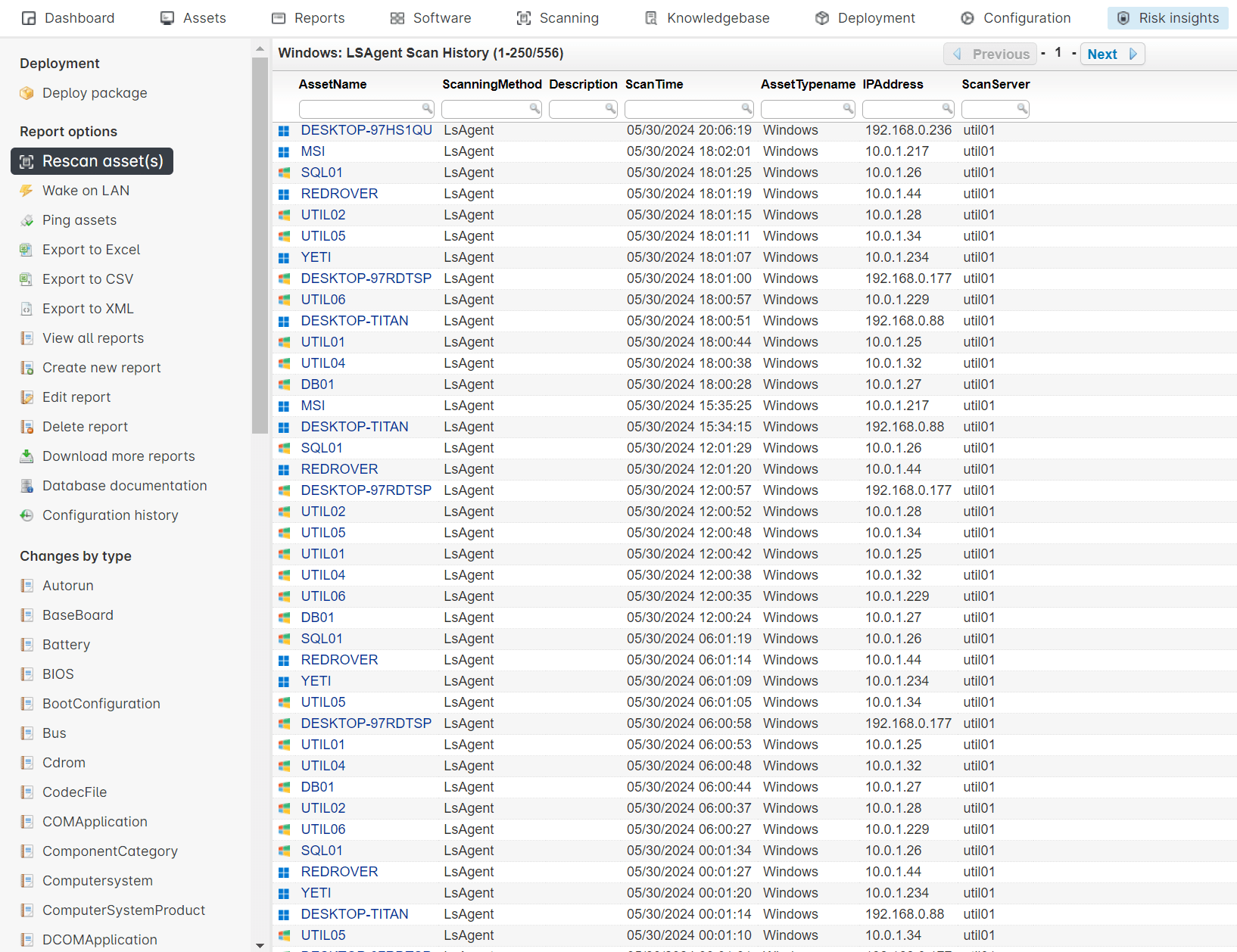
Select Top 1000000 tblAssets.AssetID,
  Coalesce(tsysOS.Image, tsysAssetTypes.AssetTypeIcon10) As icon,
  tblAssets.AssetName,
  tsysScanningMethods.ScanningMethod,
  tblScanHistory.Description,
  tblScanHistory.ScanTime,
  tsysAssetTypes.AssetTypename,
  tblAssets.IPAddress,
  tblScanHistory.ScanServer
From tblAssets
  Left Join tsysAssetTypes On tsysAssetTypes.AssetType = tblAssets.Assettype
  Left Outer Join tsysOS On tblAssets.OScode = tsysOS.OScode
  Right Join tblScanHistory On tblAssets.AssetID = tblScanHistory.AssetId
  Inner Join tsysScanningMethods On tsysScanningMethods.ScanningMethodId =
      tblScanHistory.ScanningMethodId
Where tsysScanningMethods.ScanningMethod = 'LSAgent' And
  tsysAssetTypes.assettypename = 'Windows'
Order By tblScanHistory.ScanTime Desc
Explore the full platform, free for 14 days.
No credit card required.