


⚡ TL;DR | Go Straight to the PHP2Shell Vulnerability Audit Report
On October 21, 2026, the PHP project released security updates for two critical vulnerabilities, collectively known as PHP2Shell, that could lead to unauthenticated remote code execution. Both vulnerabilities have a critical CVSS score of 9.2. The PHP project is aware of a working exploit against mod_php. We’ve added instructions below that will help you find vulnerable PHP versions running in your environment.
This security update from the PHP Project addresses 2 vulnerabilities, collectively knows as PHP2Shell, that affect all PHP installations that serve web requests, including PHP-FPM, Apache with mod_php, php-cgi, FrankenPHP, and LiteSpeed.
Both vulnerabilities received a critical CVSS score of 9.2. The PHP project sees the highest risk for mod_php, where an unauthenticated request can trigger the attack before any application code runs.
Read the full technical details in the official PHP security advisory.
These issues have been fixed in the new security update that PHP released on Wednesday. They have stated that updating is the only complete fix. There is no mitigation that makes an installation safe.
Source downloads for the new updates can be found on the PHP Project’s downloads page. Windows source and binaries can be found there as well.
| Version | Affected | Updated version |
| PHP 8.5 | All releases before 8.5.12 | 8.5.12 |
| PHP 8.4 | All releases before 8.4.27 | 8.4.27 |
| PHP 8.3 | All releases before 8.3.36 | 8.3.36 |
| PHP 8.2 | All releases before 8.2.35 | 8.2.35 |
| PHP 8.1 and older | All releases | Upgrade to a supported version, or contact your vendor for details. |
Keep these points in mind as you plan:
There are steps that can reduce exposure to specific attack paths. However, they don’t make an installation safe. The only real fix is to update. Detailed information on the temporary mitigation steps can be found in PHP’s advisory.
If you are working in a Lansweeper on-prem installation, you can use the report from our report library linked below to find any vulnerable PHP version in your network.
If you are working in Lansweeper Sites, you can follow the instructions below. This how-to will take you through the steps you can use in your AI-assistant to find exposed devices using Lansweeper’s data.
If you’re not a Lansweeper customers already, you can start your Lansweeper trial for free to get full visibility of your environment.
Add the Lansweeper MCP to your AI assistant using https://mcp.lansweeper.com/mcp and logging into your Lansweeper account.
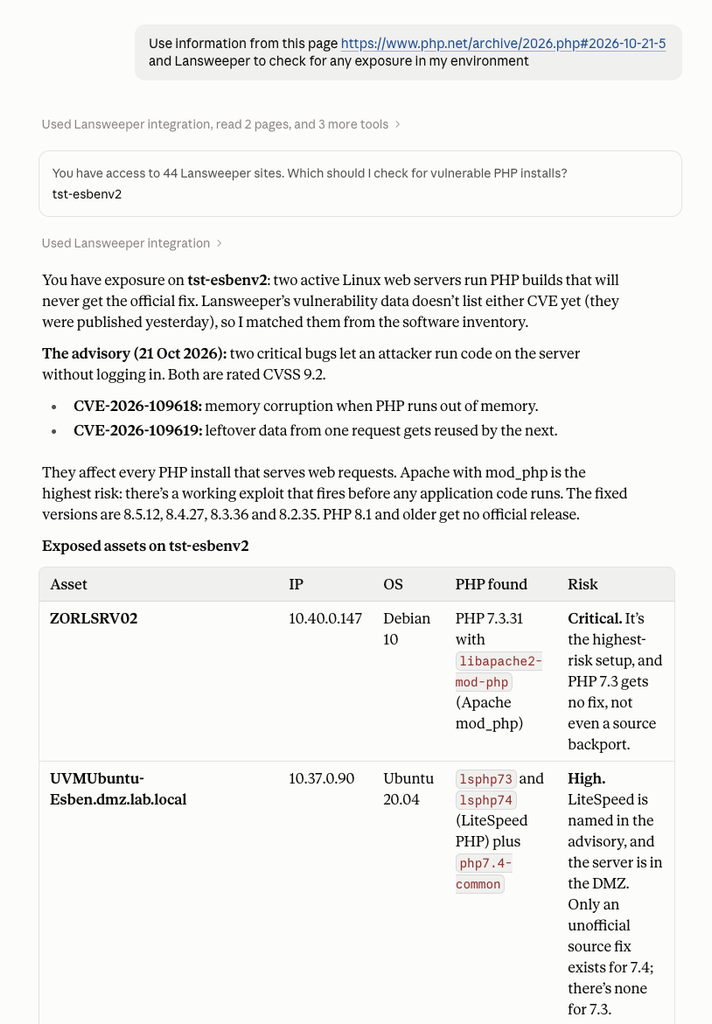
Provide your AI assistant with the necessary details about PHP2SHELL, like the official PHP Security Advisory and ask it to check for any exposure in your environment using Lansweeper.
This will give you an actionable list of all exposed devices in your environment.
Optionally, you can use the further steps below to add this information back into Lansweeper so you can add it to your own custom views and dashboards.
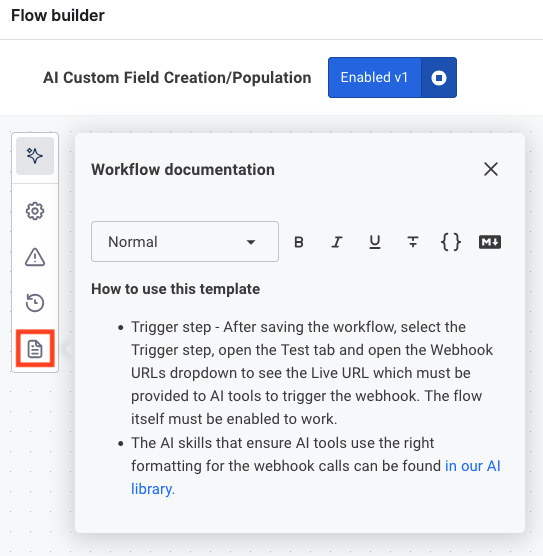
Grab the Lansweeper Custom Field Creation skill for your AI assistant and enable the AI Custom Field Creation/Population workflow from the Lansweeper marketplace. Be sure to follow the documentation of the workflow to set it up correctly and grab the URL that your AI assistant will need.
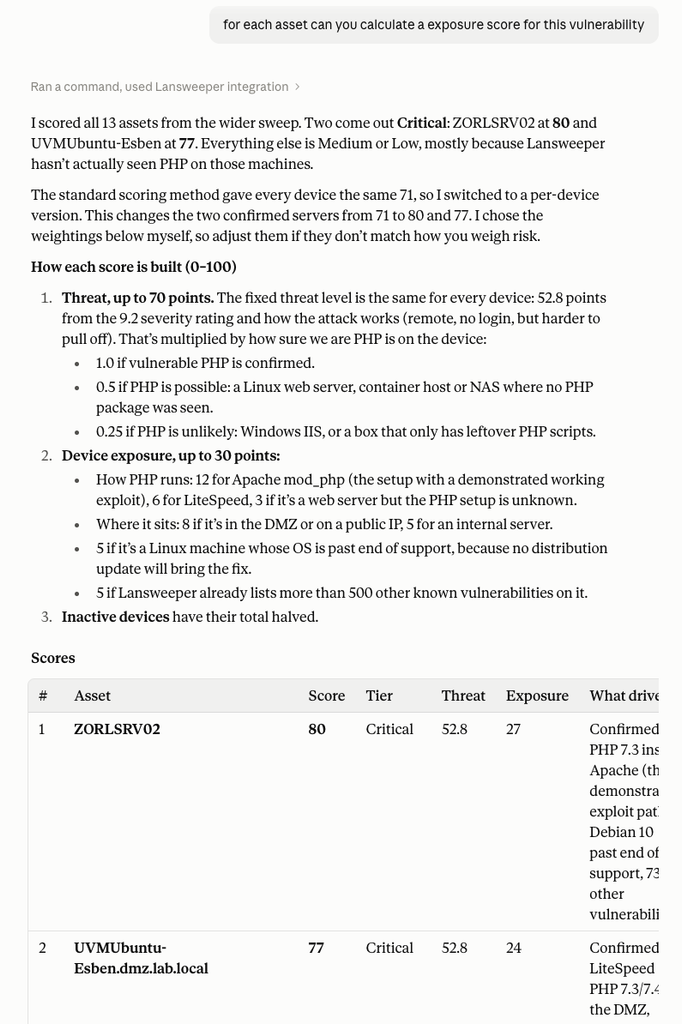
Ask your AI assistant to calculate an exposure score for devices in your environment.
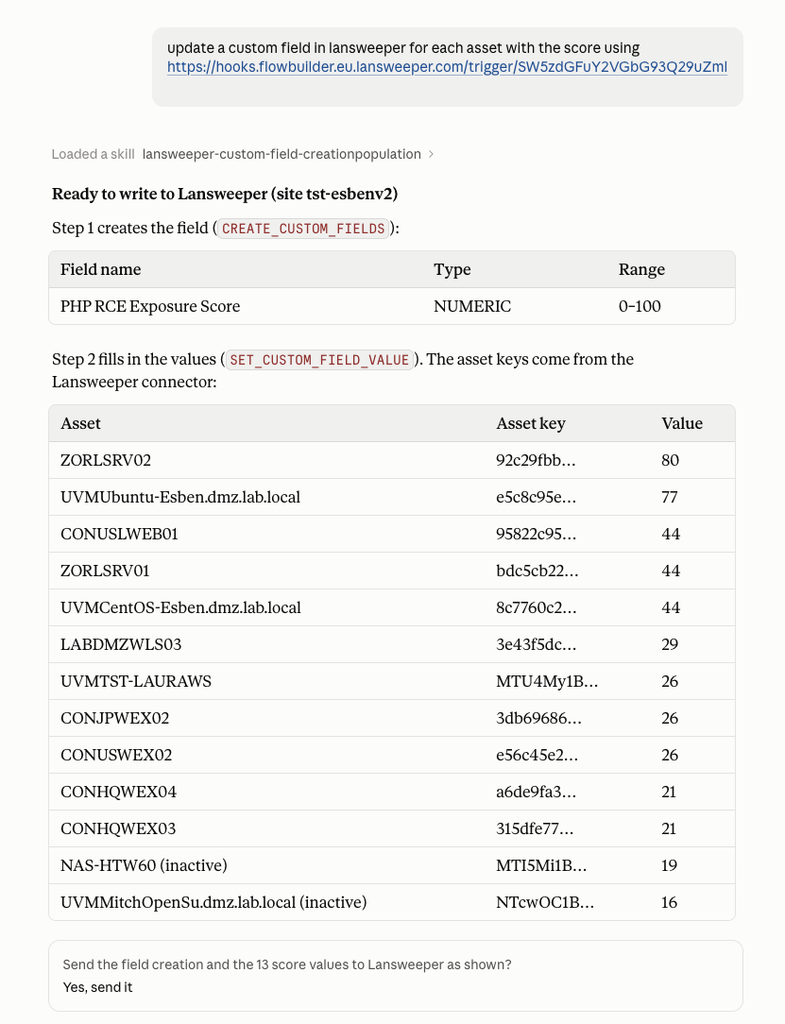
Tell the AI assistant to send the data to lansweeper using the webhook URL from the workflow, optionally provide the name you want the custom field to have.
Once processed, you will find the data attached to your assets in Lansweeper allowing you to use it in custom views, dashboards and more!

Explore Lansweeper for free.
No credit card required.


