


Lansweeper released a free database scanner to enhance database management and security by providing comprehensive visibility and analysis of your database infrastructure. You can now gain exclusive early access to the Database Scanner’s functionality currently in preview mode.
This tool scans various databases across your network, providing a detailed list that enables the user to identify potential security vulnerabilities, misconfigurations, compliance issues, and performance problems. Automating the scanning process helps database administrators and IT teams maintain robust database security, ensure compliance with industry regulations, and optimize resource allocation.
Discover, visualize, and understand the database services running on your network instantly.
Key features of the tool include:
These features help you maintain secure, efficient, and compliant database environments while strengthening database management and security.
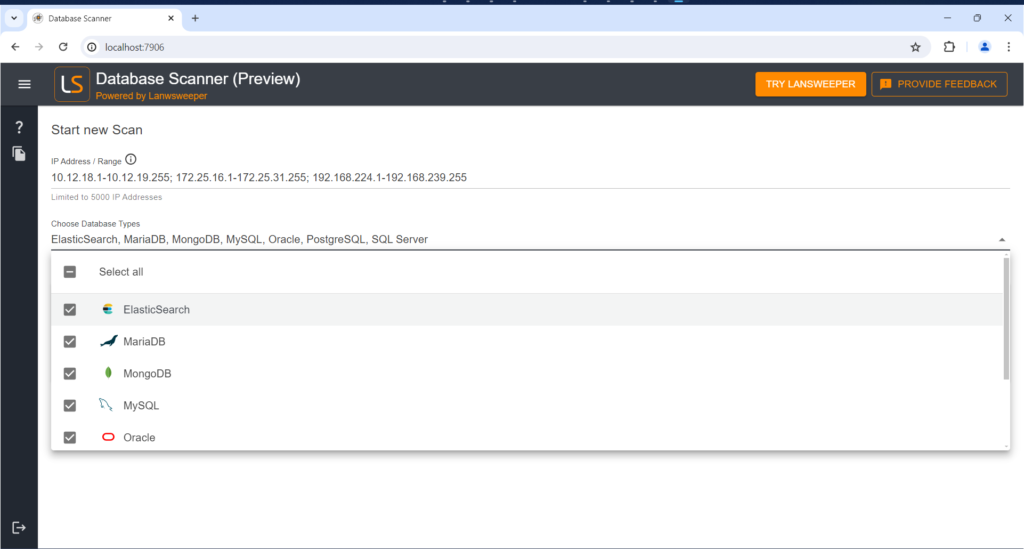
To begin, you can specify an individual address (e.g., 10.0.0.1, localhost), a range using a `-` (e.g., 10.0.0.1-10.0.0255), CIDR notation (e.g., 10.0.0.0/24) or combine them using a `;` (e.g., 10.12.20.18;10.0.0.1-10.0.0.255)” and the types of databases you want to scan. The tool supports various databases, including relational, non-relational, and SQLite.
Generally, it’s best to leave SQLite unchecked, as scanning your entire file system can significantly slow down the process. If you need to view SQLite databases, it’s recommended to use a small IP range
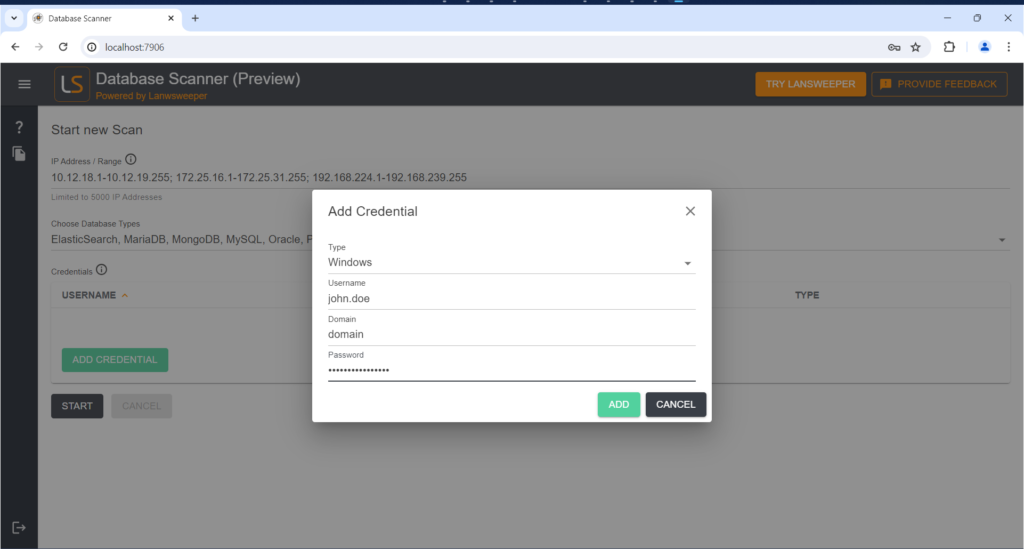
Next, you will add machine credentials. Note that these are machine credentials, not database credentials. Credentials are not needed for the local machine, but you will need to provide them for remote machines. Currently, the tool supports Windows, with Linux support coming soon.
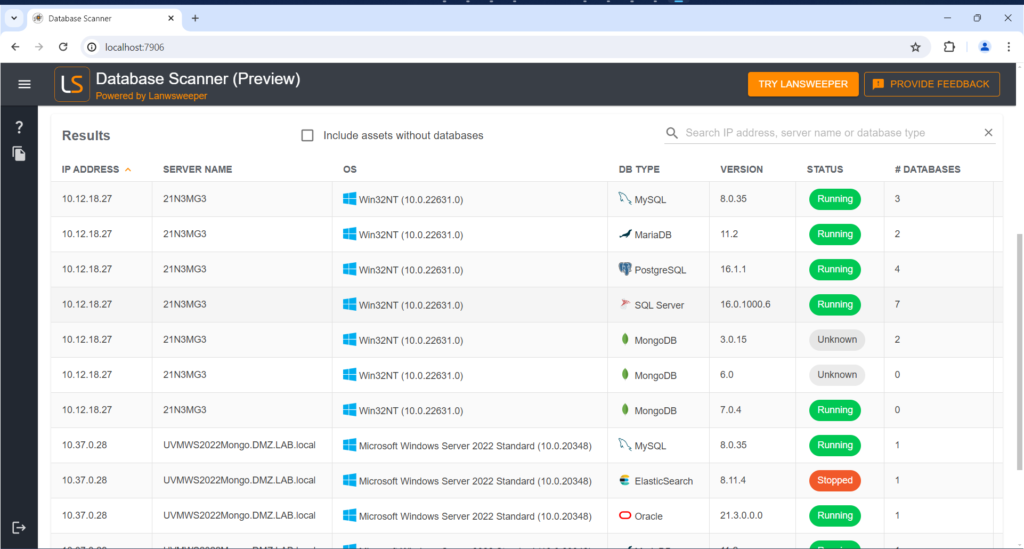
After entering the credentials, hit the start button to begin the scan. The tool quickly scans the machines and displays the databases found. Here you can see we found MySQL, MariaDB, PostgreSQL, SQL Server databases, MongoDB, Elasticsearch and Oracle.
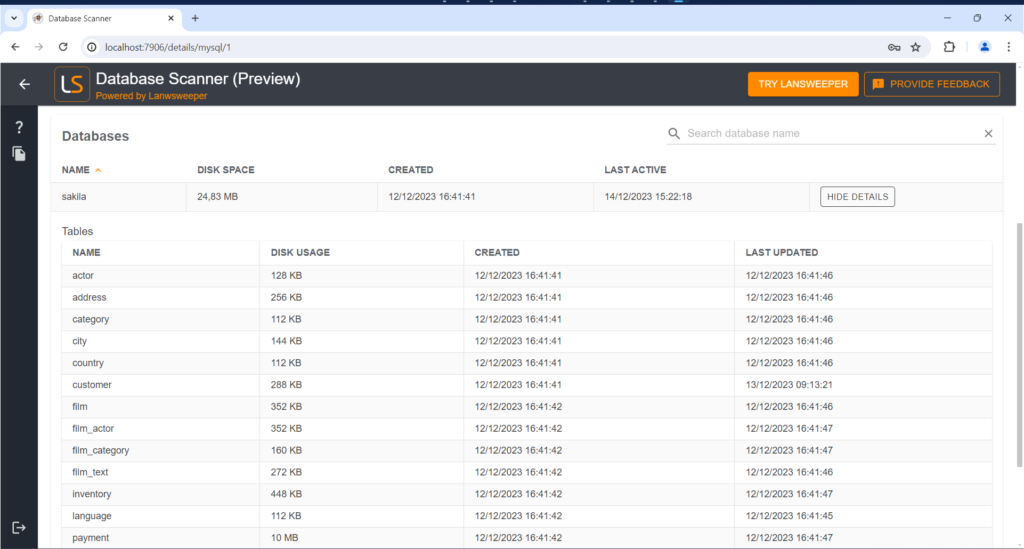
Lansweeper’s database scanner provides detailed information, including the IP address, operating system, edition, version, whether it’s running, and where to find the data and configuration file. It also detects different storage engines and database sizes. Below is an example with MySQL on the local machine.
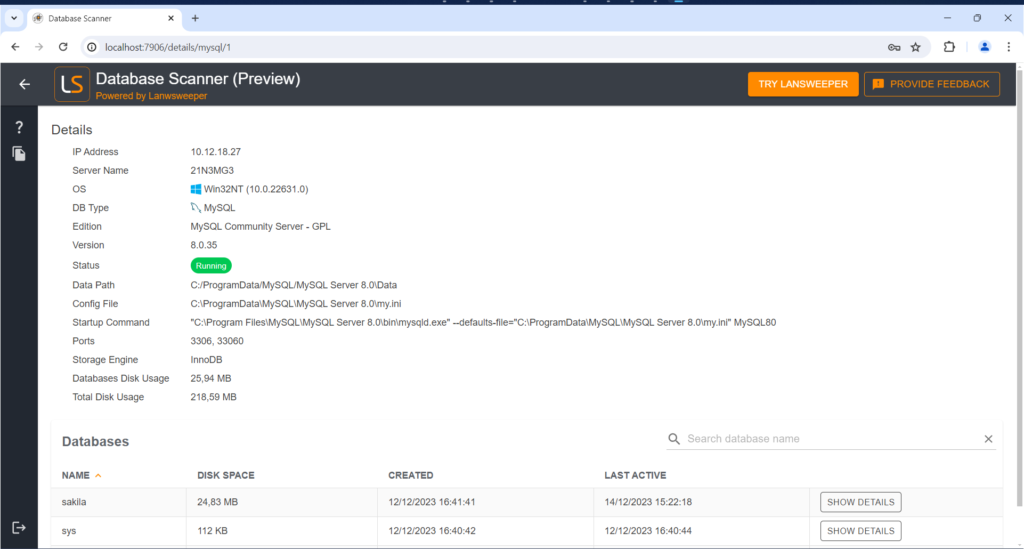
For MySQL, the tool can detect databases and their tables without needing credentials, simply by reading the file system.
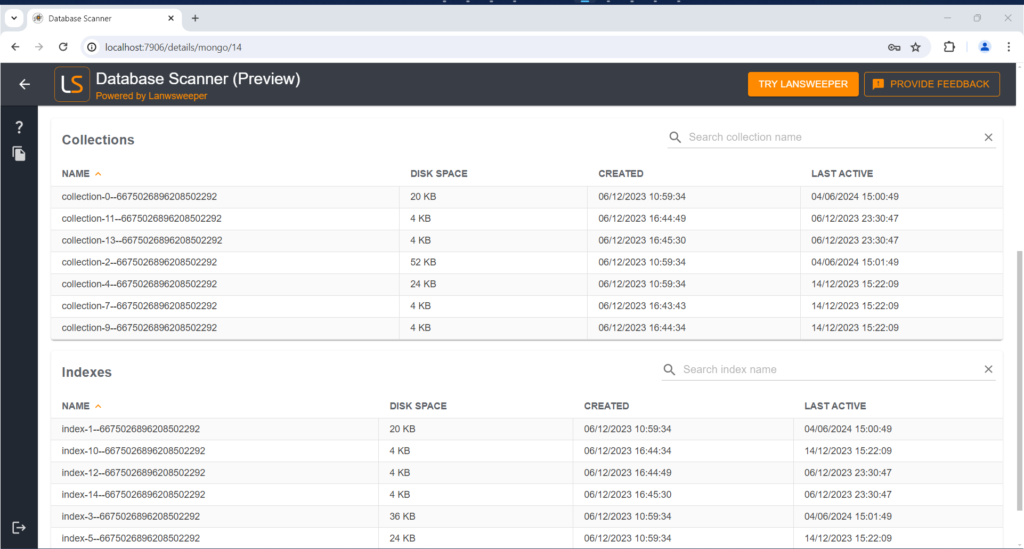
Similarly, MongoDB identifies collections and indexes, though it cannot retrieve collection names without database credentials. You’ll still receive details about their size and last modification dates.
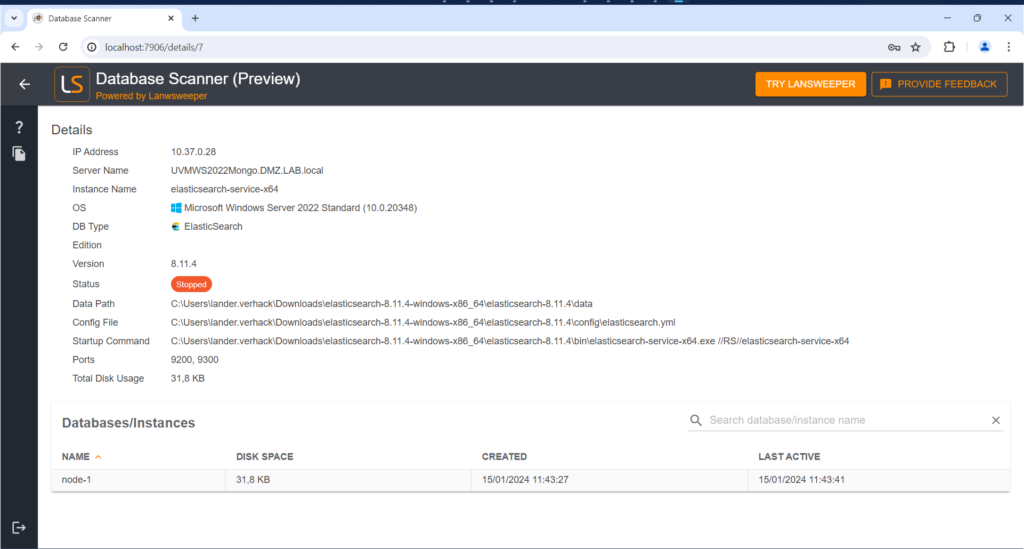
The tool can also help investigate issues. For instance, if Elasticsearch appears to be stopped, you can investigate why.
Lansweeper’s database scanner is incredibly useful for ensuring your databases are secure. In large IT environments, manually spotting security flaws is impractical. This scanner automates the process, revealing configurations and data so teams can uncover issues. It then provides detailed reports, helping your team quickly address problems and protect your data from hackers.
The scanner also excels in tracking license compliance. It scans all your databases to ensure proper licensing, avoiding the headaches of unexpected fines or overspending on unnecessary licenses. It also simplifies patch management by offering real-time information about database versions so you can prioritize and apply updates efficiently to minimize security risks and keep your databases running smoothly.
To get the most out of Lansweeper’s database scanner, here are some tips and best practices:
By following these tips and best practices, you can optimize Lansweeper’s database scanner and ensure a secure, compliant, and well-managed database environment.
Give Lansweeper’s database scanner a try – it’s free! – and share your suggestions or comments using the built-in feedback within the tool. We’ll use them to keep improving the tool!
Discover, visualize, and understand the database services running on your network instantly.
Explore Lansweeper for free.
No credit card required.
