

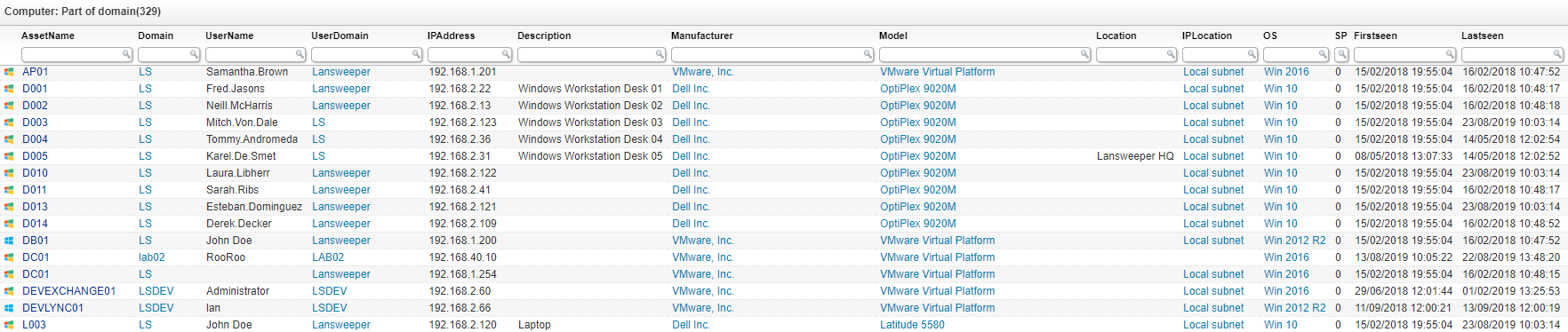
Select Top 1000000 tsysOS.Image As icon,
  tblAssets.AssetID,
  tblAssets.AssetName,
  tblAssets.Domain,
  tblAssets.Username,
  tblAssets.Userdomain,
  tblAssets.IPAddress,
  tblAssets.Description,
  tblAssetCustom.Manufacturer,
  tblAssetCustom.Model,
  tblAssetCustom.Location,
  tsysIPLocations.IPLocation,
  tsysOS.OSname As OS,
  tblAssets.SP As SP,
  tblAssets.Firstseen,
  tblAssets.Lastseen
From tblAssets
  Inner Join tblComputersystem On tblAssets.AssetID = tblComputersystem.AssetID
  Inner Join tblAssetCustom On tblAssets.AssetID = tblAssetCustom.AssetID
  Inner Join tsysOS On tblAssets.OScode = tsysOS.OScode
  Left Join tsysIPLocations On tblAssets.IPNumeric >= tsysIPLocations.StartIP
    And tblAssets.IPNumeric <= tsysIPLocations.EndIP
Where tblComputersystem.PartOfDomain = 1 And tblAssetCustom.State = 1
Order By tblAssets.AssetName
Explore the full platform, free for 14 days.
No credit card required.