Let me paint you a picture.
An auditor walks in. Maybe it’s for a cyber insurance renewal. Maybe it’s your own board after something ugly hit the news. Either way, they’ve got one question: “Can you show us every AI tool that’s actually running in your environment right now?”
Not the ones you approved; but the ones that are actually there.
The Policy and the Reality
Every organization we talk to has done the work. The AI usage policy is written. The approved tools are defined. Someone probably spent a lot of time on that approved tools list.
Here’s the thing though: Your employees weren’t waiting for that list.
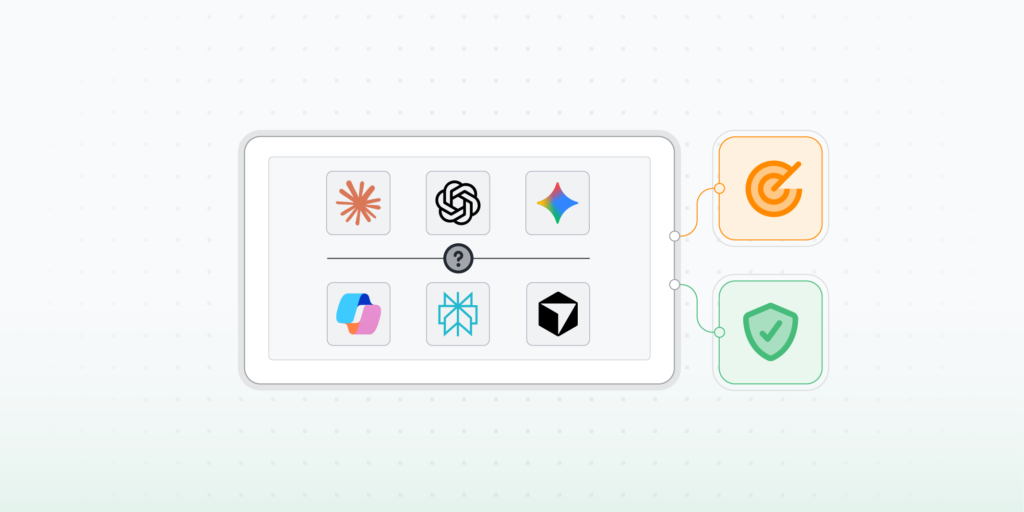
Gartner found that roughly 65% of people at work are using AI tools their IT team has never reviewed. That’s not a few rebels. That’s the majority. While you were writing the policy, people were already using ChatGPT to summarize their emails, installing Copilot extensions in Chrome, and running AI coding assistants in their dev environments.
Some of those tools are on managed devices. Some aren’t. A lot of them are connecting to external services and moving data out of your environment every single day.
And here’s the part that stings: most IT and Security teams don’t actually know which ones.
The Thing About Lists
Traditional discovery is built on a reasonable assumption: you decide where to look, and the tools go look there. You define the subnets, the IP ranges, the devices in scope. The tools are good at this. They find everything you pointed them at. But AI doesn’t ask to be on your list first.
A browser extension takes thirty seconds to install. A contractor plugging in a laptop doesn’t file a ticket. A developer spinning up a local AI model server definitely doesn’t send IT a heads-up. None of that shows up in a discovery tool that only looks where it was told to look.
This isn’t a failure of effort. It’s a failure of architecture. The tools were built for a world where things got added to the network through IT. That world is gone.
August 2 Is Closer Than It Looks
If you’re in the EU, or you do business there, add a hard deadline to the pile. The EU AI Act requires organizations to classify AI systems by risk level, keep documentation, and retain evidence of how those systems are used. Enforcement starts August 2, 2026.
You can’t classify systems you don’t know exist. Most organizations don’t have a formal AI inventory at all. What they have is a list of what was approved. That’s a different thing.
There’s also the automation problem, and it’s sneakier than the compliance one. All the workflows you’ve invested in — patching, policy enforcement, incident response triggers — they all run on the inventory they have. When that inventory has gaps, automation doesn’t stop and think. It keeps acting on the incomplete picture, over and over, faster than anyone can catch it manually. An unscoped device doesn’t get patched. An AI connection nobody knew about doesn’t get reviewed. Gaps don’t stay gaps for long. They become policy
What’s Actually Different Now?
At our Pulse webinar a few days ago, our product team walked through two things that are changing this. Both of them are worth understanding properly.
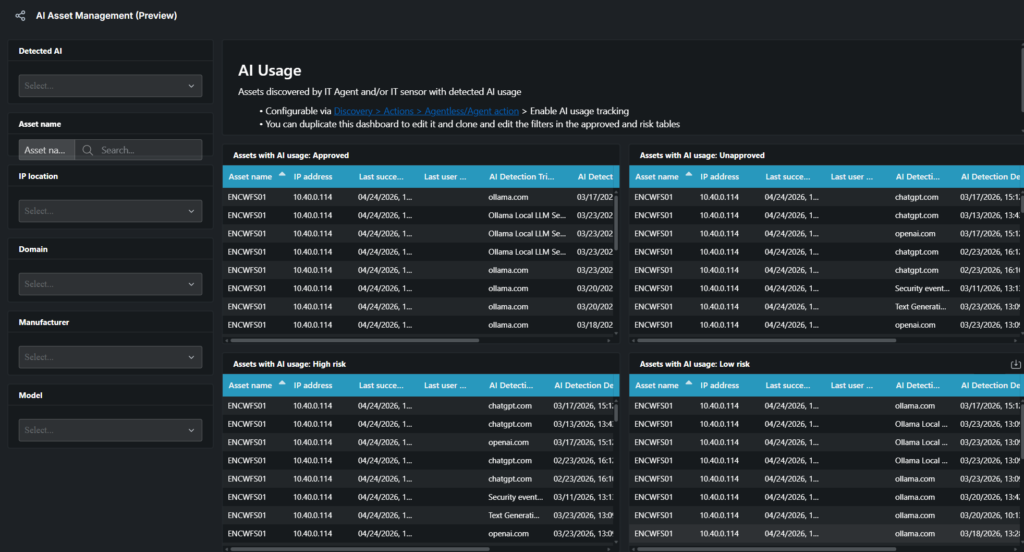
The first is AI usage tracking. You enable it in Lansweeper discovery settings and it starts capturing which external AI services your devices are connecting to: ChatGPT, Copilot, whatever else. Not just “this tool is installed,” but actual connections, tracked over a 14-day window, tied to individual assets. You can see which device, how often, how much data is moving.
If your policy says Copilot is the approved tool and not ChatGPT, you can check right now without digging through firewall logs. The AI Asset Management dashboard puts it all in one place so IT and Security are finally looking at the same thing, at the same time, without the usual back-and-forth over whose data to trust.
The second is the Traffic Sensor, which is currently in beta.
Instead of starting from a list of devices to scan, the Traffic Sensor listens to what’s actually communicating on the network. If something is there and active, it surfaces. Not because someone added it to a scope. Because the network itself told you it was there.
During the Pulse webinar, one of our product managers used a fog-of-war gaming analogy, and it’s pretty accurate. Traditional discovery “lights up” the areas you decided to explore. Everything outside those defined areas stays dark. The Traffic Sensor is what lifts the fog. It doesn’t ask whether you looked in the right places. Rather, it starts from what’s actually happening on the network.
For AI governance, this is the piece that closes the gap. An AI tool running on a device nobody ever scoped is no longer invisible because the Traffic Sensor will find it. Discovery fills in the details. That previously overlooked device and everything running on it joins the same picture your team is already working from.
What Proof Actually Looks Like
Here’s what changes when you can finally answer that auditor’s question without scrambling.
It’s not that you get to say “we have good visibility.” Plenty of teams say that. It’s that you can show how the picture was built. Starting from what the network itself told you, not from a list someone put together three years ago and hoped nothing changed since. That’s evidence. And evidence is what holds up when the pressure is on.
Most teams aren’t there yet, and honestly that’s not their fault. The tools underneath them were never built for the way AI actually spreads. AI usage tracking and the Traffic Sensor are the start of fixing that foundation.
The auditor’s question is coming. The board’s question is coming. The answer doesn’t have to be a scramble.
AI Usage tracking
AI Usage Tracking is Live Today
Go to [Discovery > Actions] in your Lansweeper site, enable it, and open the AI Asset Management dashboard. The data is already there.
Traffic Sensor