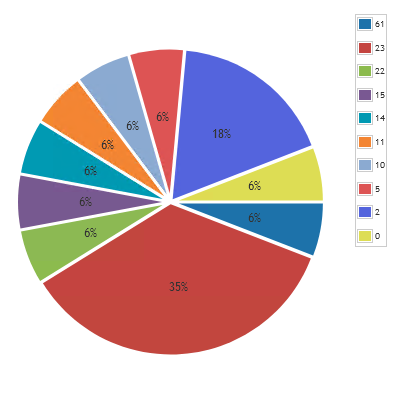
Lansweeper is able to provide you with data on how long devices have been online for or also known as their uptime. Uptime data can help to find problematic devices that no have been online for a long time and might be missing out on updates since updates require a system restart. You can read more about using this data in the Pro Tips blog post.
To use this in a chart widget, prefix the report name with “Chart:” and select it in the chart report widget found on a dashboard.
Windows Uptime Chart Query
Select Top 1000000 Ceiling(Floor(Convert(integer,tblAssets.Uptime) / 3600 /
24)) DaysSinceLastReboot,
Count(tblAssets.AssetID) As Total
From tblAssets
Inner Join tblAssetCustom On tblAssets.AssetID = tblAssetCustom.AssetID
Where tblAssetCustom.State = 1 And tblAssets.Assettype = -1 and tblAssets.Uptime is not null
Group By Ceiling(Floor(Convert(integer,tblAssets.Uptime) / 3600 /
24))
Order By DaysSinceLastReboot desc