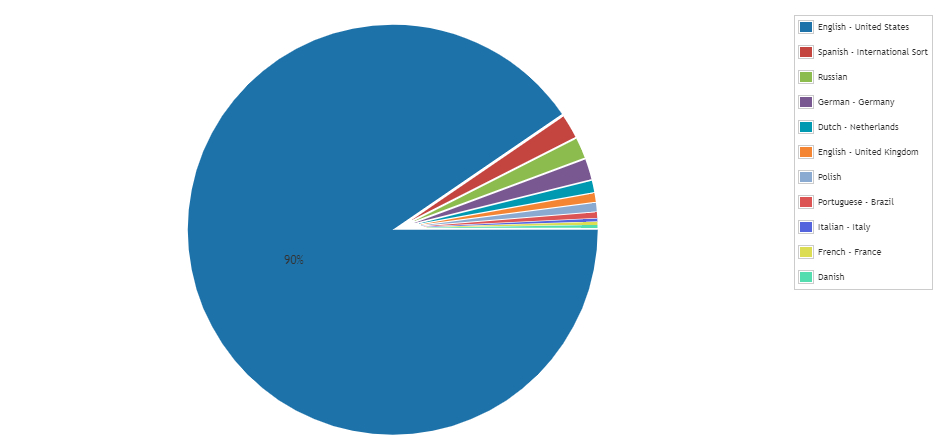
Get an Overview of the Windows Languages Used in Your Environment
In a multilingual company, an IT department faces even more challenges with the introduction of multilingual software and operating systems. With this chart report, you can have a quick overview of the number of times specific Windows OS Languages are used. This can be used on your dashboard so you always have the information available at a glance. You can use this report in the dashboard chart report widget to display get the chart displayed below.
To use this in a chart widget, prefix the report name with “Chart:” and select it in the chart report widget found on a dashboard.
Windows Language Summary Chart Query
Select Top 1000000 tblLanguages.Language,
  Count(tblAssets.AssetID) As Total
From tblAssets
  Inner Join tblAssetCustom On tblAssets.AssetID = tblAssetCustom.AssetID
  Inner Join tblOperatingsystem On
    tblAssets.AssetID = tblOperatingsystem.AssetID
  Inner Join tblLanguages On tblOperatingsystem.OSLanguage =
    tblLanguages.LanguageCode
Where tblAssetCustom.State = 1 And tblAssets.Assettype = -1
Group By tblLanguages.Language
Order By Total Desc