
Automated Incident Resolution for IT Teams
Contents
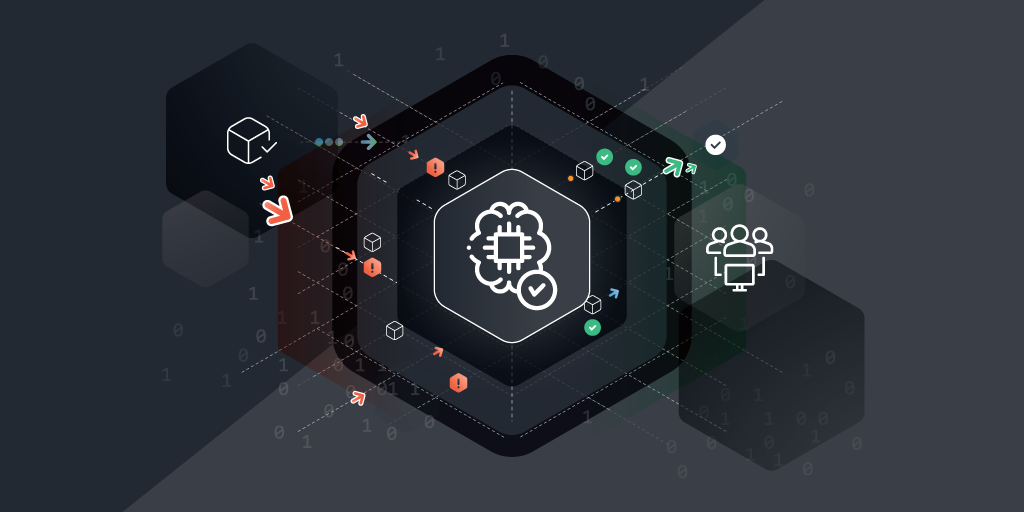
In complex IT environments, even the smallest disruption can cascade into critical outages that impact business continuity, customer satisfaction, and security. Traditional, manual incident resolution methods are no longer enough.
That’s why leading IT organizations are turning to automated incident resolution; a smarter, faster approach that eliminates delays, reduces manual effort, and keeps systems running smoothly. By leveraging real-time insights, intelligent workflows, and self-healing capabilities, automation transforms incident response into a proactive, strategic function.
What is Automated Incident Resolution?
Automated incident resolution is the use of technology, often AI-driven, to detect, diagnose, and remediate IT issues without human intervention. It transforms how IT teams manage service disruptions by streamlining response workflows and minimizing downtime.
Unlike traditional incident resolution, which depends heavily on manual investigation and triage, automation accelerates the process through intelligent workflows, real-time alerts, and self-healing mechanisms. This shift empowers IT teams to resolve incidents faster while reducing repetitive tasks and human error.
Key Components of Automated Incident Resolution Systems
- Event Detection Engines: Constantly monitor systems for anomalies or failures.
- Automation Workflows: Predefined logic that governs how incidents are categorized, escalated, or resolved.
- Integrations: Connect with ITSM tools (like ServiceNow or Jira), monitoring tools, and asset databases.
- Self-Healing Scripts: Automatically restart services, patch systems, or adjust configurations.
Why Automation Matters in Incident Resolution
1. Resolving the Pain Points of Manual Processes
IT teams often face:
- Alert fatigue from monitoring tools
- Delays due to manual triage and root cause analysis
- Resource-intensive ticket resolution
- Inconsistent documentation and response standards
Manual incident handling creates bottlenecks. A critical outage can take hours to resolve, and that’s time your end users, customers, or business stakeholders can’t afford to lose.
2. Automation Improves Response Times
Automation can reduce resolution time from hours to minutes. When a server goes down, an automated system can:
- Detect the failure
- Create a ticket
- Trigger a script to restart the service
- Notify stakeholders
- Document the resolution
All of this happens in seconds.
3. Better Use of Resources
Automation frees your team to focus on high-value tasks instead of chasing routine fixes. It also supports:
- Standardized SLAs and faster MTTR (Mean Time to Resolve)
- Predictive maintenance through trend analysis
- Reduced overtime or on-call burdens
How Do Automated Workflows Enhance Incident Resolution?
Automated workflows are sequences of predefined tasks triggered by specific events or conditions. They ensure consistent, repeatable, and efficient handling of incidents.
Some examples of workflows that can be automated are:
- Server outage detected → Auto-restart script → Success check → Close ticket
- Failed login attempts → Account lockout → Security alert escalation
- Storage threshold breached → Add storage → Notify infrastructure team
Integrating with Existing Systems
Automation doesn’t require rebuilding your stack. The best solutions integrate seamlessly with:
- Monitoring tools (e.g., Zabbix, Datadog)
- CMDBs and asset inventories (e.g., Lansweeper, BMC Helix)
- ITSM platforms (e.g., ServiceNow, Freshservice)
- Collaboration tools (e.g., Slack, Teams)
Integration ensures incident workflows remain in sync with asset data, change logs, and team communication.
Implementing Automated Incident Resolution: Tools and Techniques
To automate incident resolution effectively, look for tools with drag-and-drop workflow builders that make it easy to set up and adapt processes without coding. AI-powered event correlation, like what BigPanda uses, also helps to reduce noise by grouping related alerts, streamlining response and preventing alert fatigue.
Native integrations with platforms like ServiceNow, Microsoft 365, and AWS ensure automation works across your stack without creating silos. Self-healing capabilities such as automated scripting or container orchestration are also essential. Kubernetes, for example, supports self-healing containers that restart automatically when issues occur.
Finally, real-time analytics and audit logs are critical for tracking incidents and proving compliance. Features like Digital Guardian’s audit logging support visibility, reporting, and regulatory alignment.
Choosing tools with these features helps you respond faster, reduce manual workload, and stay compliant, all while improving service quality.
Tools and Techniques for Implementing Automated Incident Resolution
Best Practices for Tool Selection
When evaluating tools, prioritize platforms with key features like:
- Drag-and-drop workflow builders
- AI/ML-powered event correlation
- Native integrations with your existing stack
- Self-healing capabilities (e.g., scripting, container orchestration)
- Real-time analytics and reporting
- Compliance tracking and audit logs
Before selecting a tool:
- Run pilot programs before full rollout.
- Avoid vendor lock-in. Look for tools with open APIs.
- Ensure scalability as your organization grows.
- Consider tools with community support and strong documentation
Step-by-Step Implementation Guide
- Assess Current Processes
- Map your incident response workflow.
- Identify high-frequency, low-complexity incidents to automate first.
- Choose the Right Tool
- Evaluate platforms that align with your stack and ITSM processes.
- Consider open-source vs. commercial options.
- Build & Test Workflows
- Use historical ticket data to build logic.
- Run simulations before going live.
- Train the Team
- Conduct workshops to explain the new processes.
- Encourage feedback and iterative improvement.
- Monitor & Optimize
- Analyze metrics like MTTR, ticket volume, and escalation rate.
- Refine automation rules regularly.
The Benefits of Automated Incident Resolution
1. Cost Savings & ROI
Automated incident resulotion is faster resolution, which means less down time, which saves money, especially in customer facing services. It also reduce the amount of manual work and which lowers labor costs and frees up your team to work on more strategic projects. On top of that, with the help of AI and machine learning, incident response tools can spot and resolve irregularities long before they can become costly emergencies.
2. Faster Incident Resolution
Automating ticket triage and the necessary actions to deal with the issue at hand reduces resolution time dramatically. Especially when combines with AI-driven diagnostics that prioritize critical issues instantly, incidents can often be resolved before your team even knew they were an issue.
3. Higher User Satisfaction
Faster incident resulution through automation means fewer interruptions for end users. Automation tools powered by AI and machine learning proactively seek out issues based on irregularities and resolve them before they can even become visible, all while providing the documentation and status updates to maintain transparent communication.
4. Enhanced IT Governance
Automation tools don’t just automatically spot and resolve the issue but also provide consistent incident documentation and reporting with traceable workflows and audit-ready logs. These ensure that you are always compliant with internal and external standards.
Why Lansweeper Is the Key to Smarter Incident Resolution
You don’t need to be told how stressful incident resolution can get. When something breaks, every second counts. Automation helps, but only if your systems know what they’re dealing with.
That’s where Lansweeper makes all the difference. By giving you complete visibility into every asset across your IT environment, Lansweeper ensures automated workflows have the accurate, real-time data they need to resolve issues fast, often before users even notice.
Want to take the guesswork out of incident resolution? Start with better asset intelligence. Watch the demo today and see how smarter discovery leads to smarter decisions.
See Lansweeper in Action – Watch Our Demo Video
Sit back and dive into the Lansweeper interface & core capabilities to learn how Lansweeper can help your team thrive.
WATCH DEMOFAQ
-
Can all incidents be automated?
No. While many routine and predictable incidents can be automated, complex issues requiring judgment still need human input. The key is to automate repeatable processes first, so your team has more time and attention to devote to more complex matters.
-
How does automated incident resolution integrate with ITSM?
Most modern platforms support native or API-based integrations with ITSM tools, syncing ticket creation, escalation, and closure with incident management workflows.
-
What’s the difference between alerting and automation?
Alerting simply notifies teams of an issue. Automation takes action to resolve the incident or escalating it without manual input.
-
Are there risks to automating incident resolution?
Yes. Poorly designed workflows can escalate issues or cause unintended changes. That’s why testing, auditing, and governance are critical.
-
What tools support automated incident resolution?
Popular tools include PagerDuty, ServiceNow, Atlassian Opsgenie, and AIOps platforms like Moogsoft or BigPanda. Some IT asset management and inventory platforms like Lansweeper also integrate with automation tools to enhance resolution accuracy.

Ready to get started?
You’ll be up and running in no time.
Explore all our features, free for 14 days.